
Gemini 3 Pro Image (Nano Banana 2) Hands-on Preview
Summary
The Google Gemini 3 Pro Image (Nano Banana 2) preview has officially launched with a bang! This article provides an in-depth comparison between this tool and others like Photoshop and Jimeng 4.0, based on a real-world product poster design case. Actual testing reveals that Gemini 3 Pro Image achieves amazing image optimization results thanks to its unique “reasoning model” capabilities, powerful multi-round conversational editing, and watermark-free output. It is truly a major breakthrough in the field of AI image generation.
Just moments ago, Google quietly launched the preview of its next-generation image model—Gemini 3 Pro Image—with the internal codename being the highly anticipated Nano Banana 2! Unlike traditional image generation models, Gemini 3 Pro Image is a “Reasoning Model”. This means it “thinks” like a human before generating an image, deeply understanding your requirements to bring about a qualitative leap.
💥 Core Highlights: Beyond Generation, Lies Understanding
The power of Gemini 3 Pro Image lies in its outstanding technical specifications and design born for complex tasks:
- Super Strong Context: 64K input tokens, 32K output tokens, easily handling complex instructions.
- High-Def Output: Supports 1K, 2K, and 4K resolution image generation, meeting professional needs.
- Conversational Editing: Supports multi-round, conversational image modifications, as simple as communicating with a designer.
- Multi-Image Synthesis: Can fuse up to 14 input images into 1, with boundless creativity.
- Search Enhanced: Integrated with Google Search to ensure information timeliness and accuracy. Officially, it is designed to solve the most challenging image tasks, especially excelling in scenarios like complex editing, high-accuracy creativity, and multi-language text rendering.
Official Trial Address: https://console.cloud.google.com/vertex-ai/publishers/google/model-garden/gemini-3-pro-image-preview (Free trial, generated images have no watermark!)
Real-world Test: Gemini 3 Pro Image vs. Photoshop vs. Jimeng
Theory is thing, practice is another. I needed to create a promotional poster for my web video player project zwplayer. Here is the entire process.
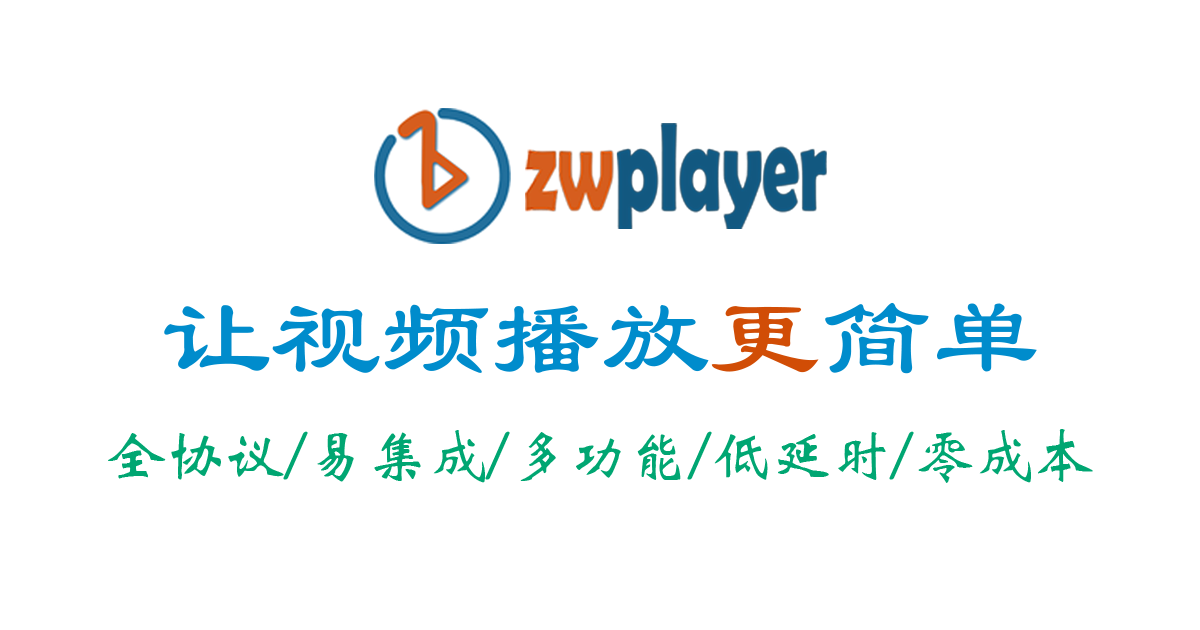
Round 1 Challenge: A Photoshop Novice’s Attempt
My PS skills are honestly quite limited; this is already the third version I came up with, so just bear with it.
[Image Description: Initial version of the zwplayer player promotional poster, created with Photoshop, average design sense]
Round 2 Challenge: The “Misunderstanding” of Jimeng AI
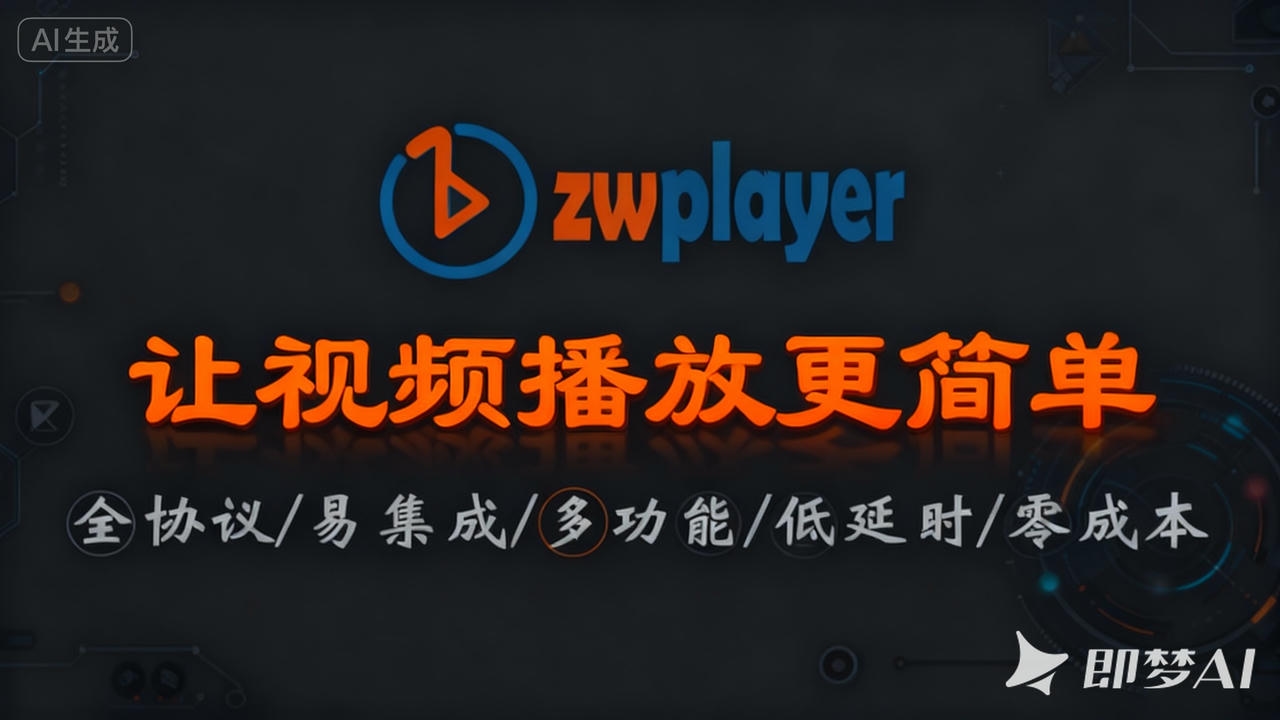
Next, I tried the domestically popular Jimeng AI. The generated images had a techy feel, but there were many detail issues: for example, the character circles for “quan” (all), “duo” (multi), “neng” (function), and “di” (low) were inconsistent and messy. Additionally, there were obvious watermarks and AI logos. After downloading, I had to find a tool to remove them. Even if I paid to remove the watermark, the AI logo remained. This meant I needed a lot of secondary modification, which was totally beyond my PS capabilities, so I had to give up.
[Image Description: zwplayer player promotional poster, generated by Jimeng AI, many detail errors and watermarks]
Final Showdown: Gemini 3 Pro Image’s “Stunning” Performance
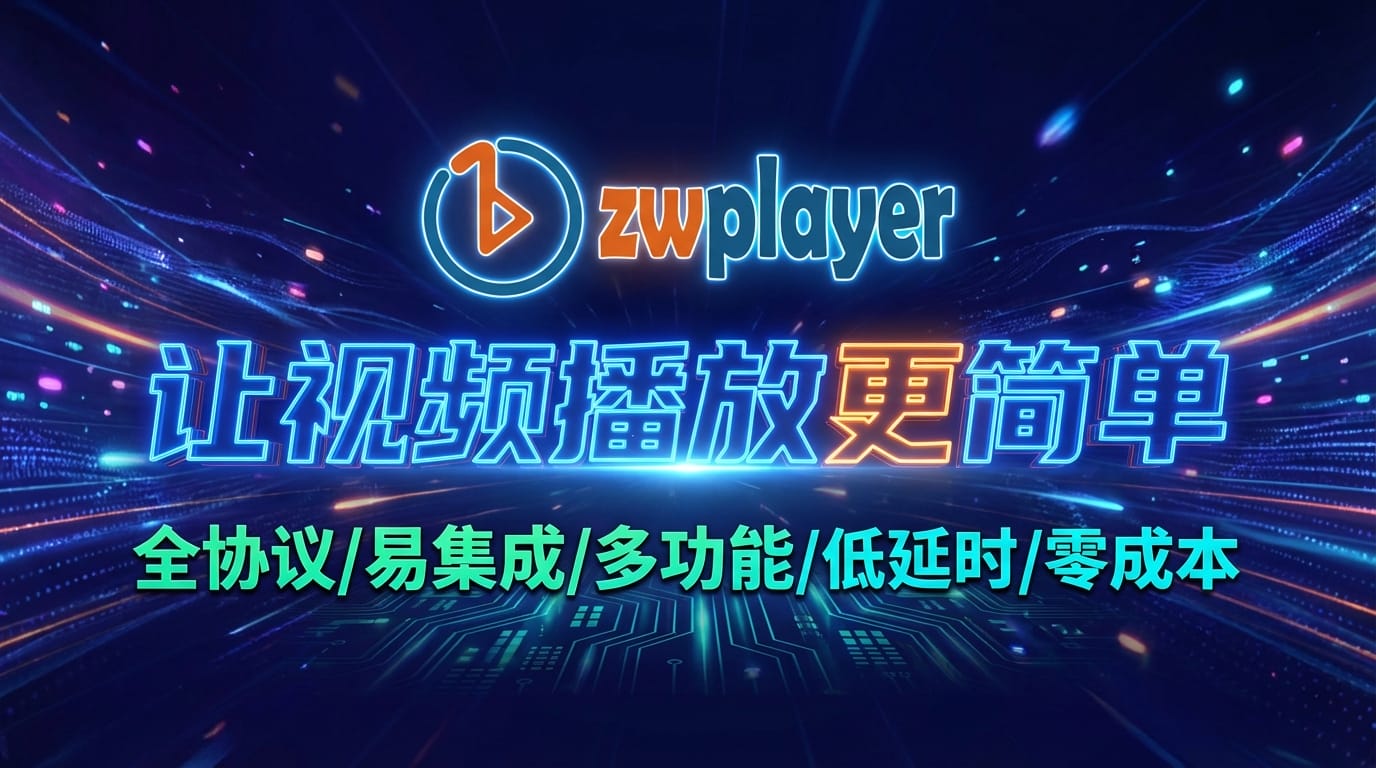
With anticipation, I uploaded the original image to Gemini 3 Pro Image and started conversational editing. The whole process was smooth as water, with almost no obstacles. Effect 1: Perfect Fusion of Tech Feel and Professionalism
[Image Description: zwplayer player promotional poster, optimized and generated by Gemini 3 Pro Image, strong design sense, no watermark]
Effect 2: A Stunning Presentation of Another Style
[Image Description: zwplayer player promotional poster, second style generated by Gemini 3 Pro Image, equally professional and no watermark]
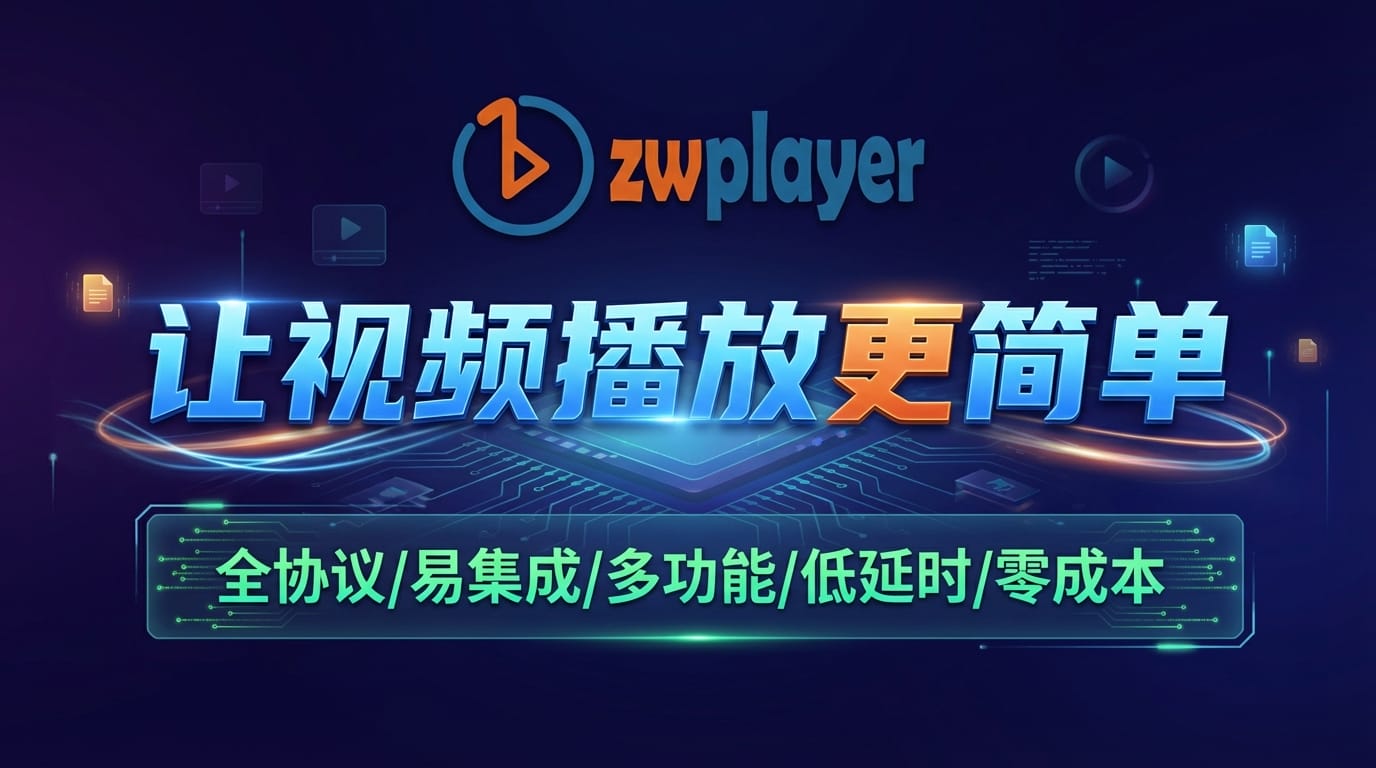
Result: Beyond expectations! The generated posters not have excellent visual effects but are also watermark-free. They can be used directly without modification after download. This completely changed my view of AI image tools.
Revealed: My Conversation Process
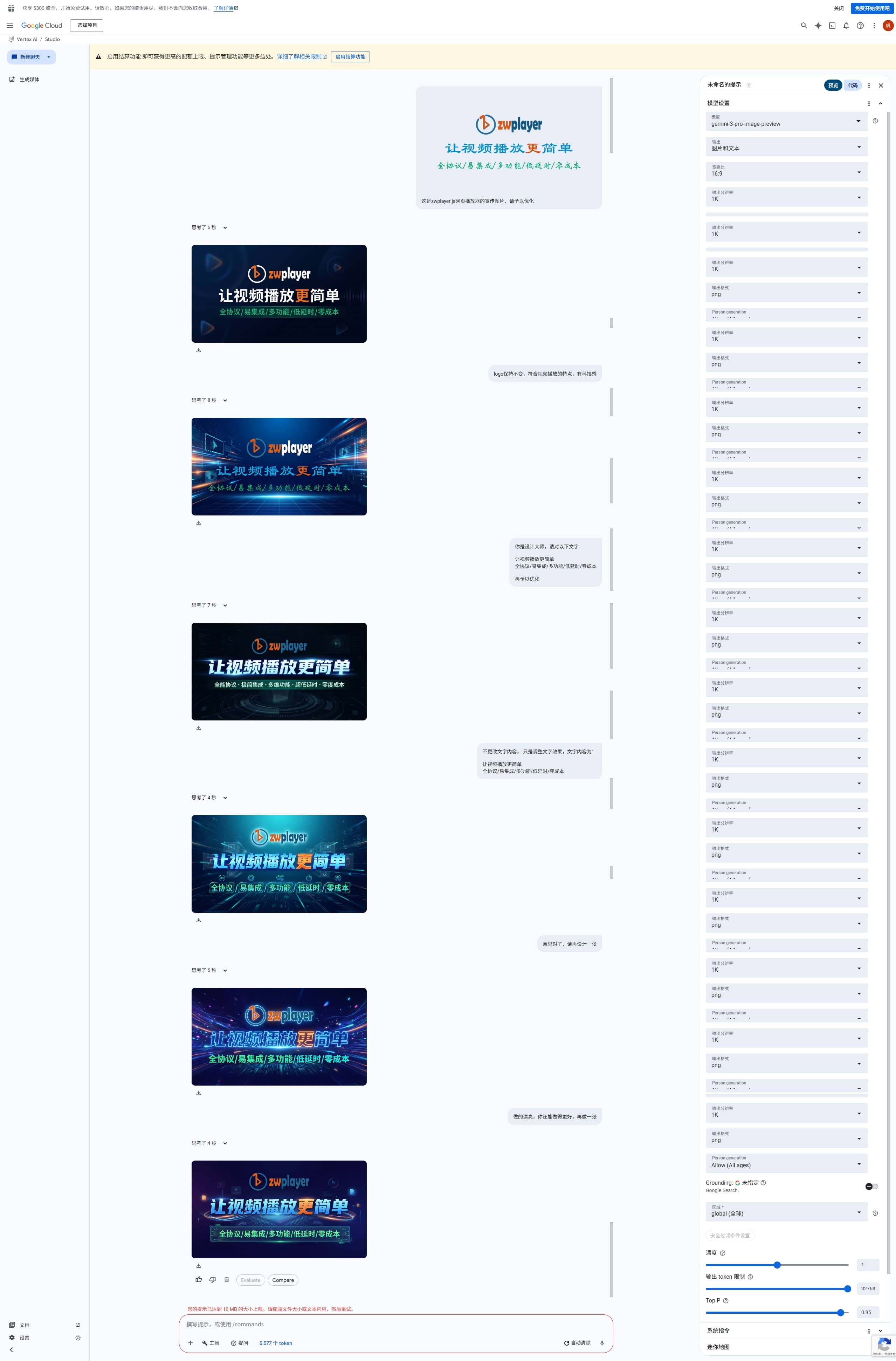
Despite such excellent results, the prompts were very simple. Below is the text version of the complete conversation, so you can get a feel for its “comprehension”:
1.  **Me:** This is the promotional image for the zwplayer js web player, please optimize it.
2.  **Me:** Keep the logo unchanged, fit the characteristics of video playback, and have a tech feel.
3.  **Me:** You are a design master, please further optimize the following text "Make video playback easier All Protocols/Easy Integration/Multi-function/Low Latency/Zero Cost".
4.  **Me:** Do not change the text content, just adjust the text effects.
5.  **Me:** The meaning is right, please design another one.
6.  **Me:** Beautifully done, you can do better, make more.
The whole process felt like communicating with a top-tier designer; it always accurately got my intent.
[Image Description: Screenshot of the complete conversation with Gemini 3 Pro Image, showing how simple prompts generate high-quality images]
Conclusion
The arrival of Gemini 3 Pro Image (Nano Banana 2) is not just an improvement in image quality, but a revolution in workflow. It simplifies complex image design work into a relaxed conversation. For designers, developers, and content creators who need high-quality, watermark-free results and wish to iterate quickly, this is undoubtedly a powerful tool worth trying immediately.
I strongly recommend everyone go to the official platform to experience it for free and feel the impact of the AI reasoning model!