
ZWPlayer WordPress Plugin
Professional player supporting WebRTC/RTSP/HLS/Multi-Subtitle Translation/Playlists/Watermark/Recording/Local Playback
📥 Download Plugin Now | WordPress.org Official Page →
Free for Commercial Use · No Ads · Adapts to All Themes · Listed on WordPress.org
We seamlessly encapsulate the powerful ZWPlayer web player into WordPress. Without a single line of code, your website can have playback capabilities comparable to professional video platforms. From subtitle translation and playlists to watermark copyright protection, every advanced feature is just click away.
🌟 Core Highlights
1. Breakthrough Format Limitations: Full Protocol Support
Say goodbye to the tedious transcoding process. Natively supports industry-standard streaming media protocols:
- Monitoring & Live Streaming: Directly play RTSP (IP cameras), WebRTC, HLS (m3u8), DASH, FLV, WSS, MpegTS.
- Full Format Compatibility: Perfectly supports MP4, MKV, MOV, WebM, and MP3 audio.
- Intelligent Adaptation: Automatically recognizes stream protocols; automatically switches bitrates based on visitor’s network speed to ensure a zero-stutter viewing experience.
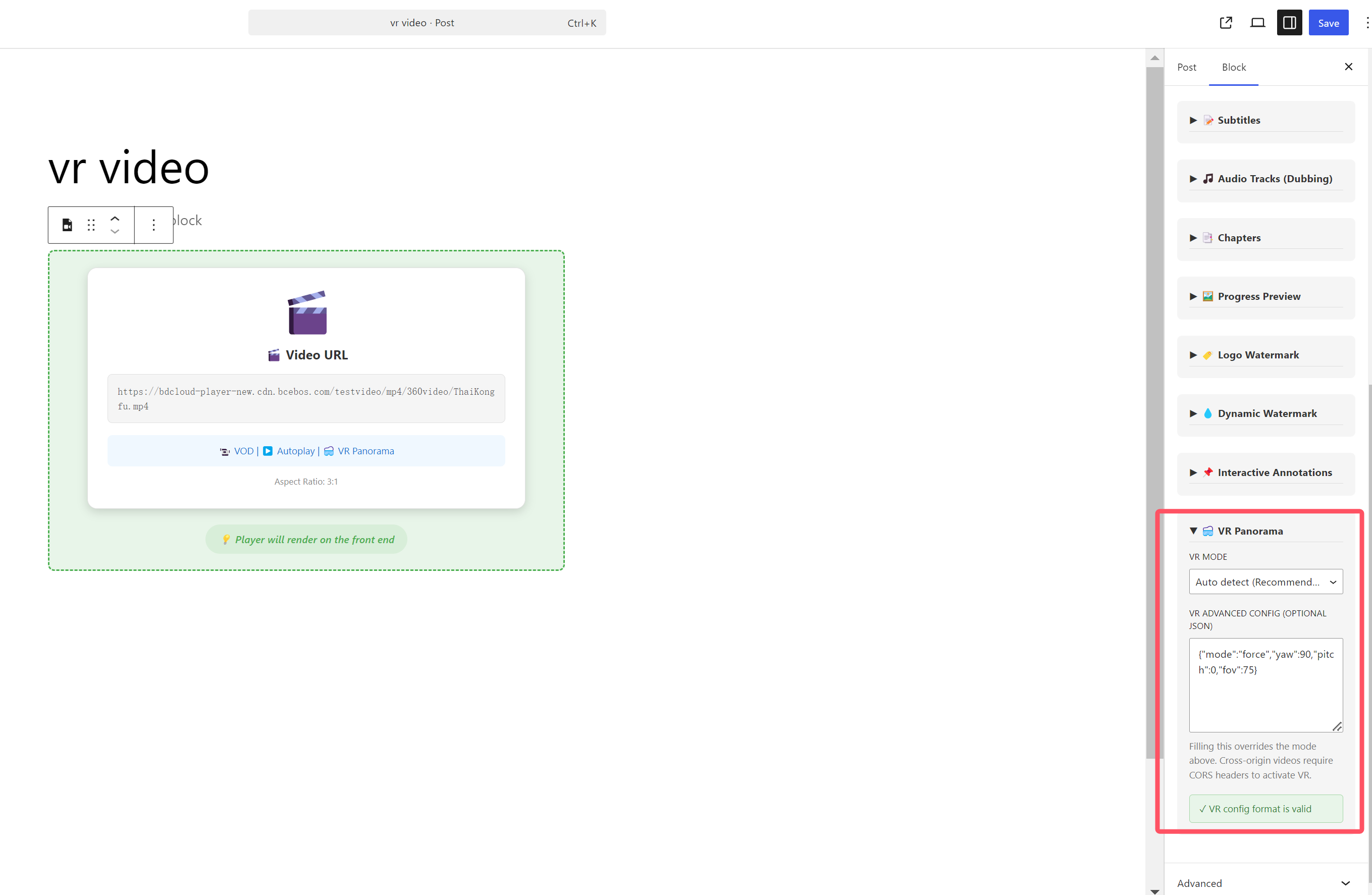
- VR Panorama Playback: Natively supports 360° VR panorama video rendering. The block sidebar panel provides Auto-detect, Force, and Disable modes, supporting advanced perspective parameters (Yaw/Pitch/FOV) via JSON configuration.
2. Subtitle & Audio System: Perfect for Language Learning & Foreign Trade
Subtitle & audio capabilities have been upgraded into a complete subtitle & multi-audio management system, ideal for language teaching, cross-border trade, and multilingual content operations:
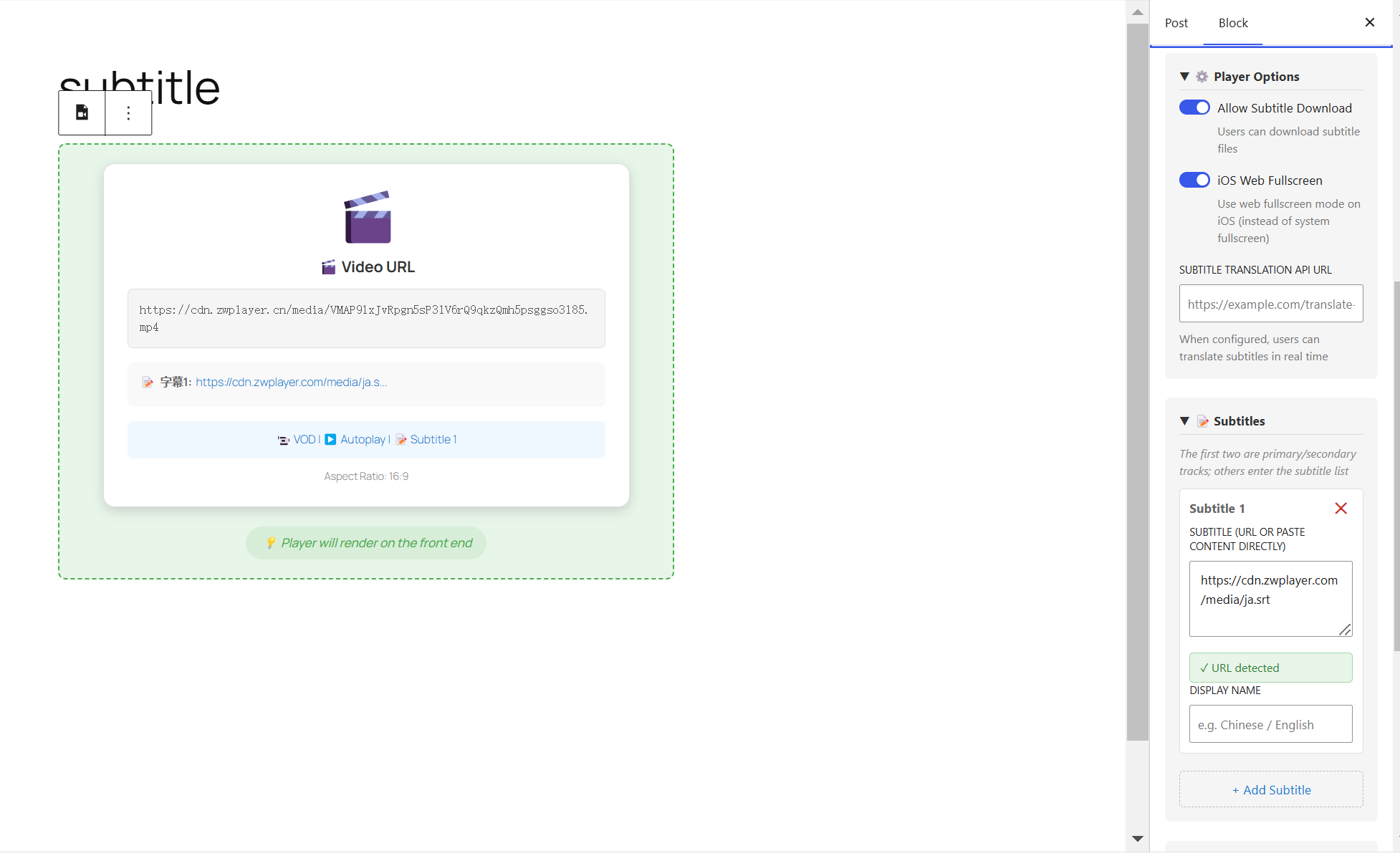
- Multi-Track Subtitles: Beyond the original two-track limit, supports loading two or more SRT/VTT/BCC/JSON subtitle files simultaneously with free primary/secondary track assignment for clear bilingual comparison.
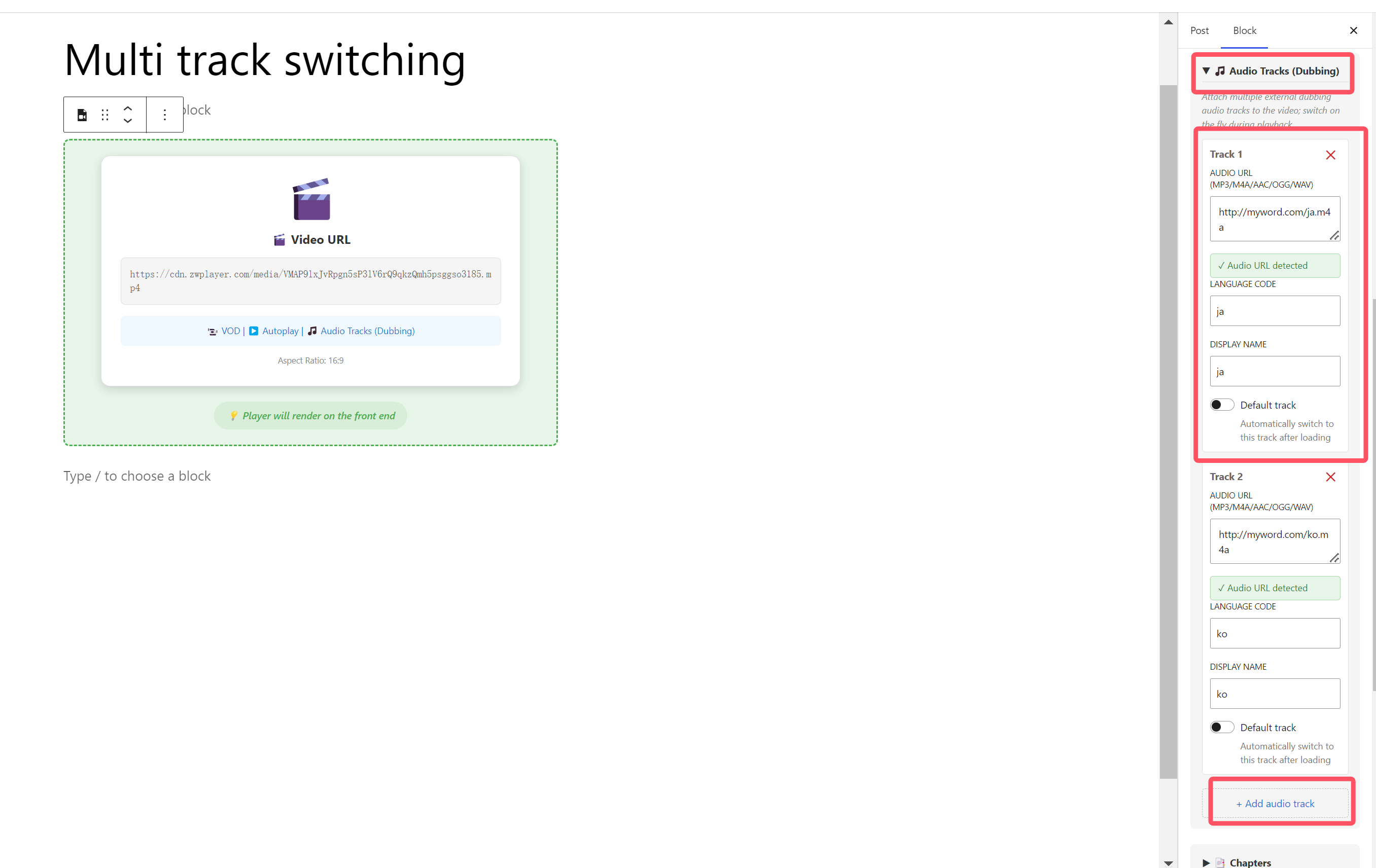
- Multi-Track Audio (Dubbing): Supports attaching multiple external audio dubbing tracks (MP3/M4A/AAC/OGG/WAV) to a video with custom language codes, display titles, and default track selection, allowing viewers to switch audio tracks on the fly.
- Subtitle Translation: Built-in translation panel supporting 13 target languages, with results displayed in real-time as a secondary subtitle overlay — no need to pre-produce translated files.
- Subtitle Search: A built-in search panel lets you find lines by keyword and jump instantly, with per-line loop playback — “subtitles as an index, lines jump in seconds.”
- Subtitle Settings: Runtime adjustment of font size, color, outline, position, and background opacity, configured independently per track to suit different viewing scenarios.
3. Content Operations & Interactive Video
Designed for course series, video albums, and brand operations, six tool modules turn video from one-way playback into operable content:
- Playlists: Multi-level grouping (course series, video albums), with each item independently configurable for poster, subtitles, chapters, and more; auto-resume playback progress, auto-play next, favorites, and history — ideal for multi-episode continuous content.
- Watermark System: Covers brand display, copyright protection, and anti-screen-recording tracing. Supports image/text types with static, dynamic (moving), and tile modes. Text watermarks support template variables like
{user_name}and{sys_time}with runtime substitution. - Chapter Navigation: Add chapter points to long videos via JSON/VTT files, with color-coded progress markers and a built-in search panel for a clear structure and quick jumps.
- Thumbnails: Progress bar hover preview via sprite sheets — visitors drag the progress bar to preview the corresponding frame.
- Annotation System: 13 interactive node types (hotspot, text, image, button, choice, quiz, vote, etc.) with a 3-phase animation system and event-driven action chains, perfect for interactive teaching and marketing conversion.
💡 All ZWMAP data is generated visually by the companion online editors. After export, it can be loaded directly in Gutenberg blocks or shortcodes, enabling a seamless “online editor → export data → WordPress publish” zero-code workflow.
4. Practical Toolkit
- AB Loop: Users can mark video segments with click for infinite looping, suitable for read-aloud training and highlight replays.
- Multi-Language Intelligent Adaptation: The player natively builds in Chinese/English bilingual interfaces, automatically switching based on the visitor’s browser language, seamlessly serving global users.
- One-Click Recording & Screenshot: Allows visitors to record the playing live stream or VOD video (supports “record audio only”).
- 4x Volume Enhancement: Is the source video sound too low? The built-in audio gain makes the sound instantly clear and loud.
- Picture-in-Picture (PiP): The video automatically floats when the visitor scrolls the page, allowing reading and watching at the same time.
- Magnifier: Canvas-based circular magnifier with 1.5x-4x zoom levels and
Zhotkey toggle, ideal for showing teaching details. - Screen Cast: Google Cast and AirPlay support, so visitors can cast to large screens with click.
- Global Hotkeys: Control web videos like a desktop player: Space to pause, Left/Right keys to fast forward/rewind, Up/Down keys to adjust volume, R key for instant recording.
🔧 Integration Methods
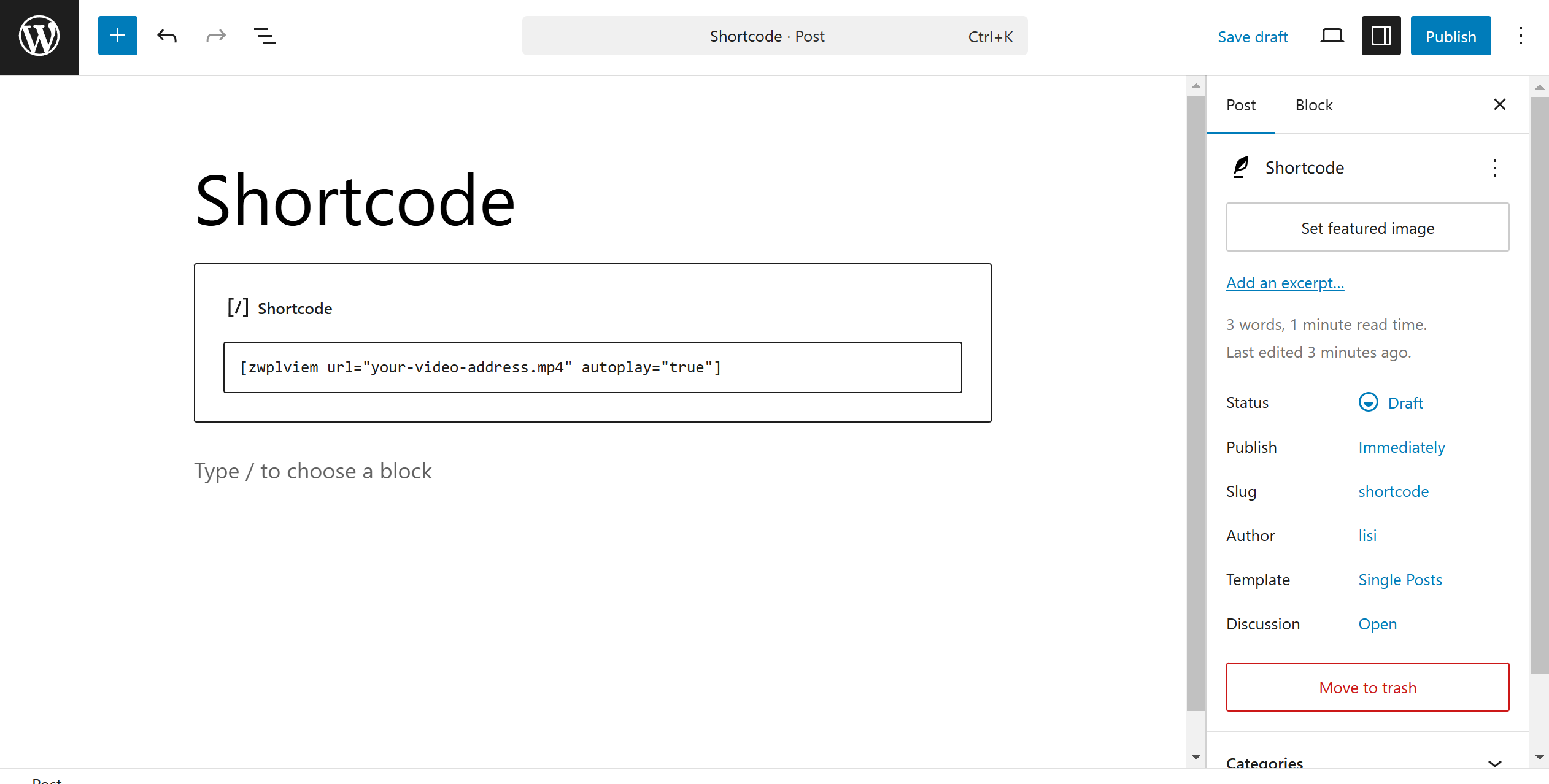
Method 1: Gutenberg Block (Recommended)
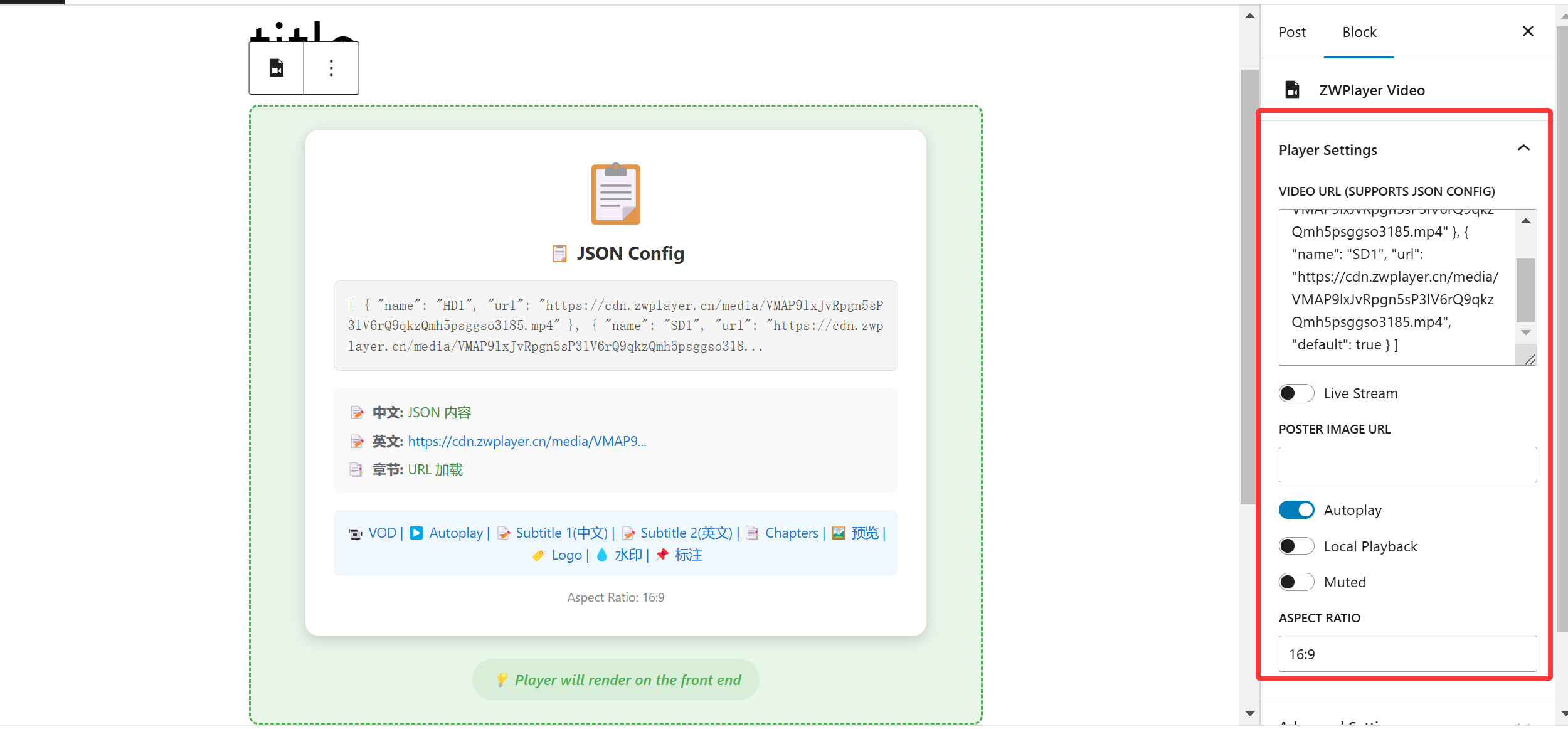
As simple as inserting a picture, What You See Is What You Get. Supports custom cover images and 16:9/4:3 ratio switching.
Method 2: Classic Shortcode
Flexible embedding anywhere, suitable for classic editor users.
📖 5-Minute Quick Installation Guide
Whether you are a novice or a developer, deployment can be completed in just a few steps:
Step 1 — Go to “Plugins” → “Add New” in the WordPress admin panel
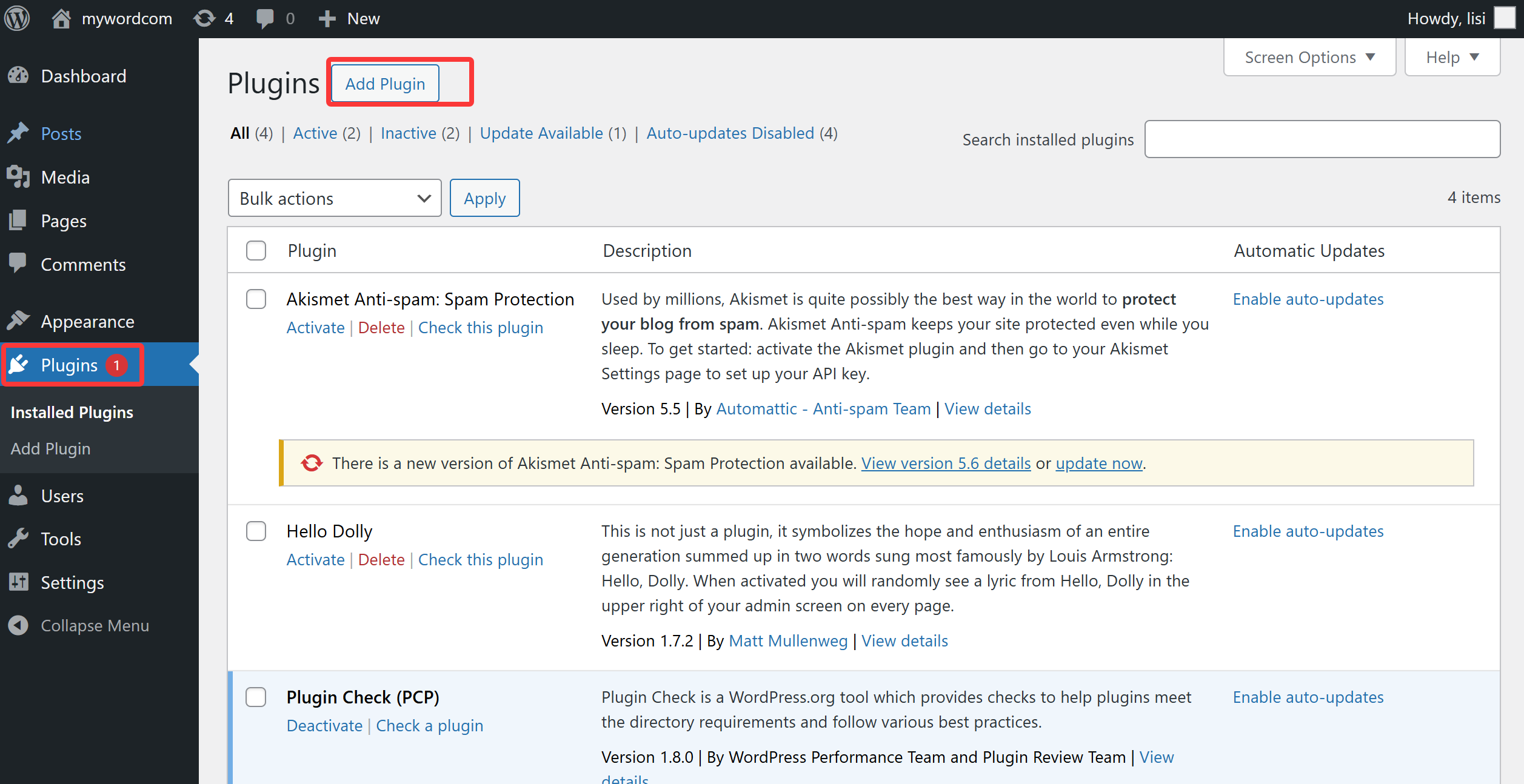
Step 2 — Click “Upload Plugin”
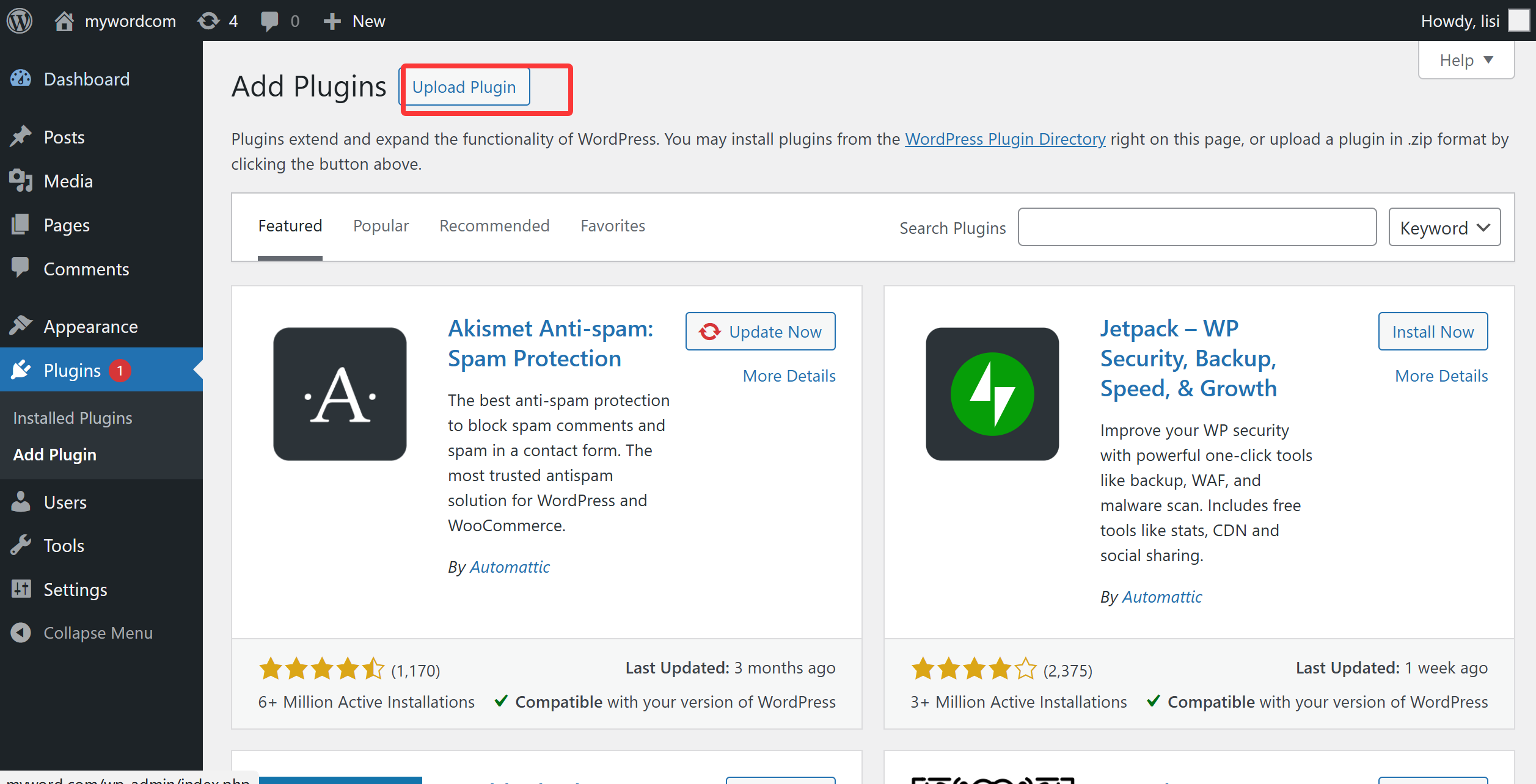
Step 3 — Select the plugin zip file
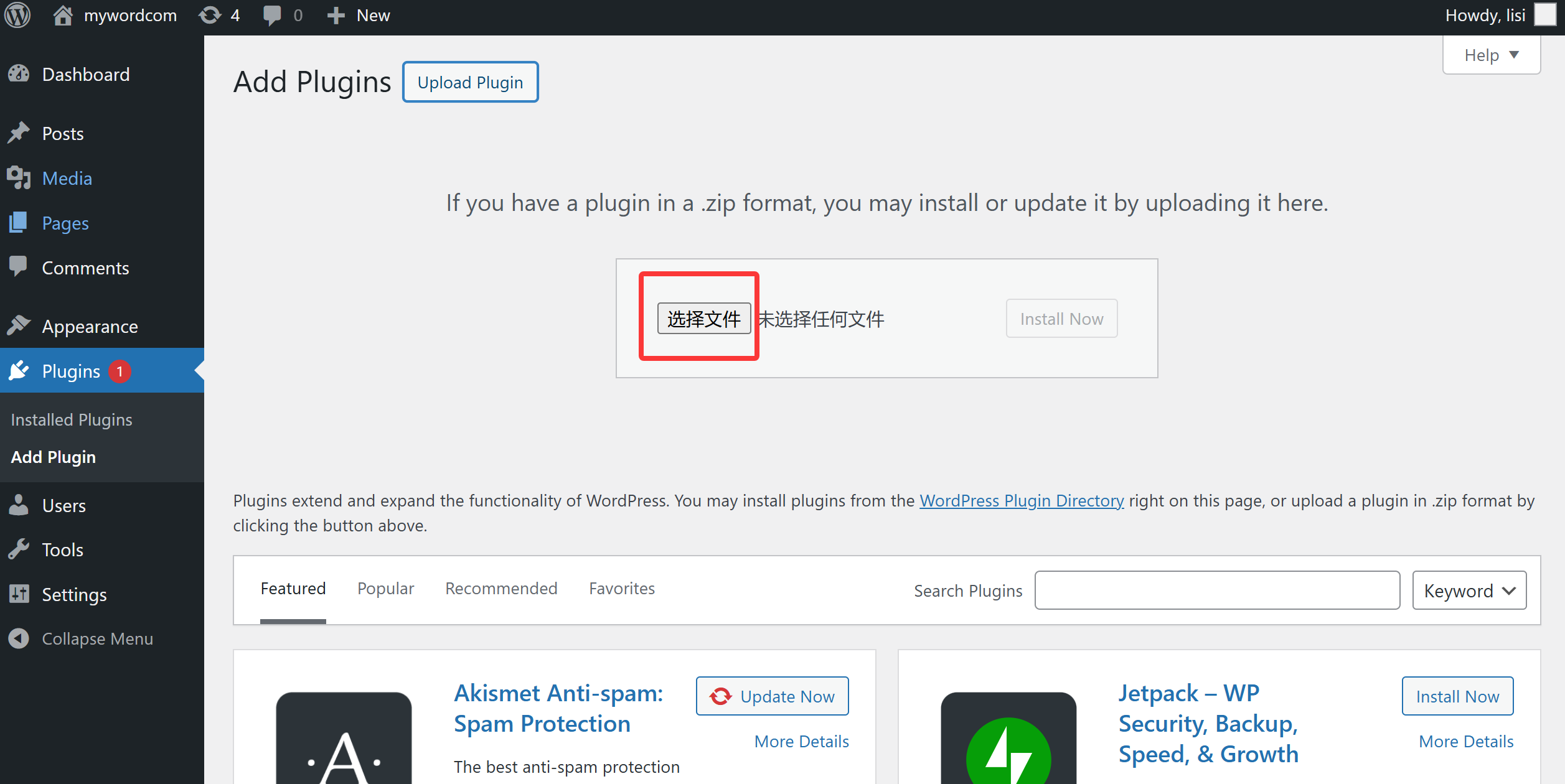
Step 4 — Click “Install Now”
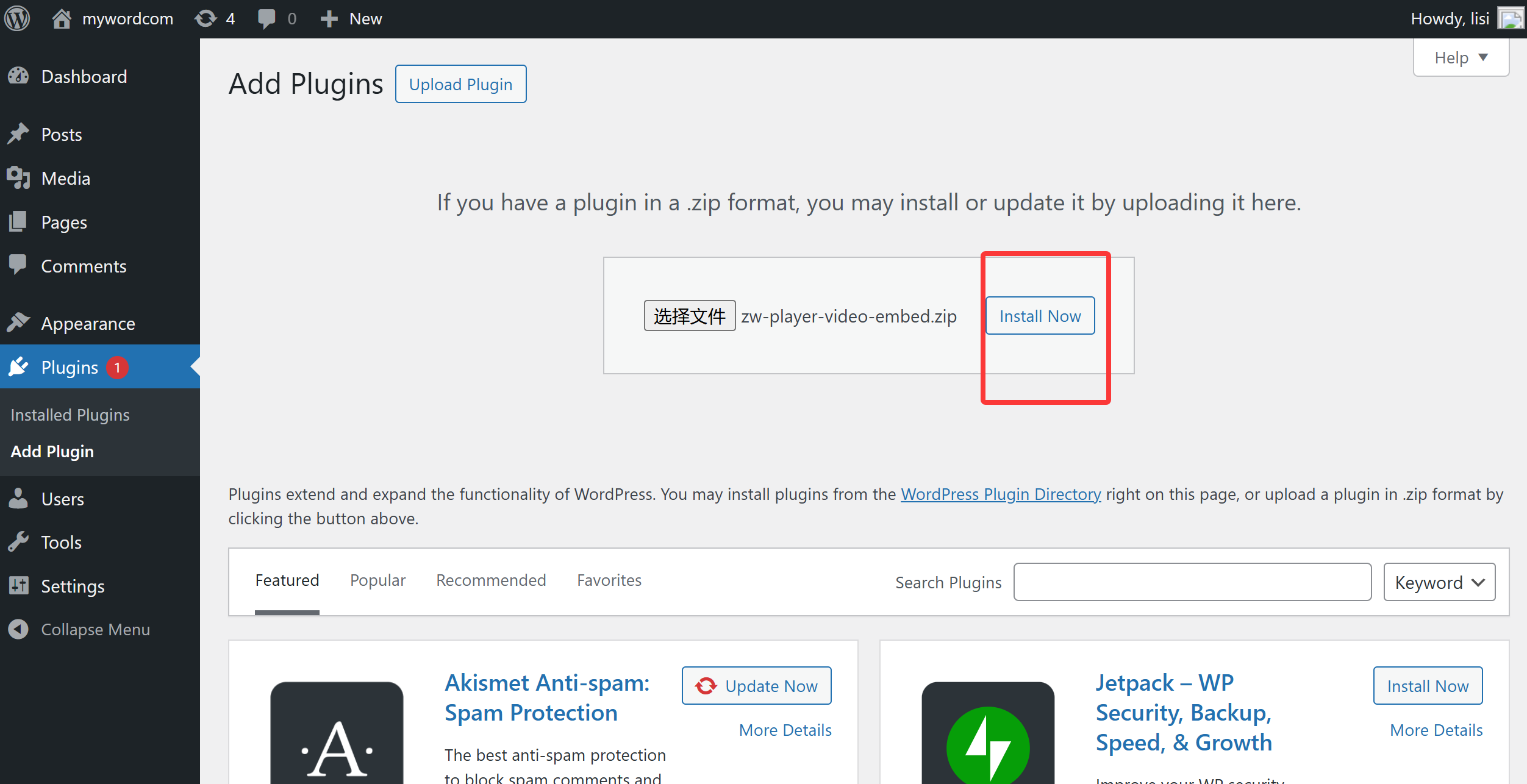
Step 5 — After installation, click “Activate Plugin”
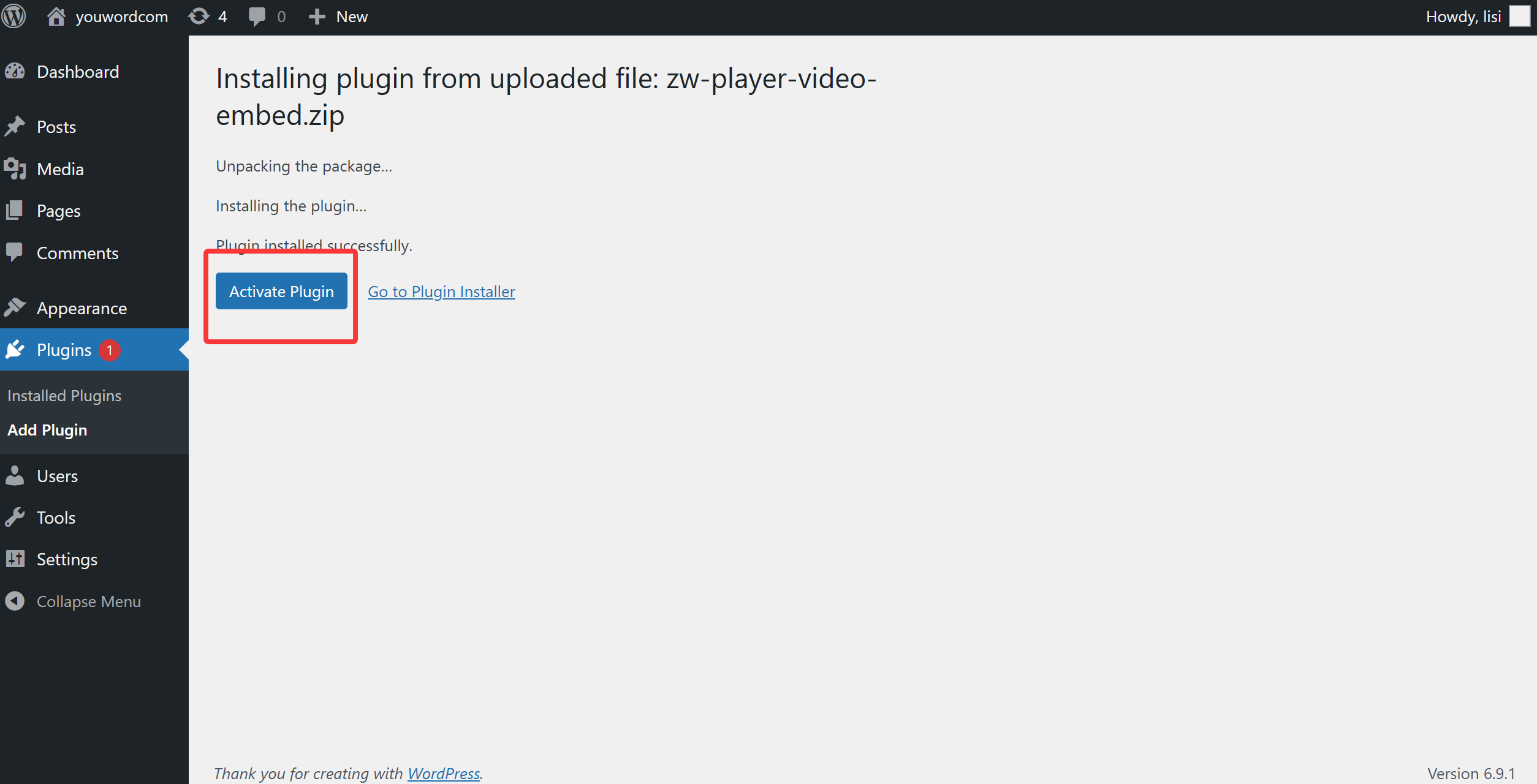
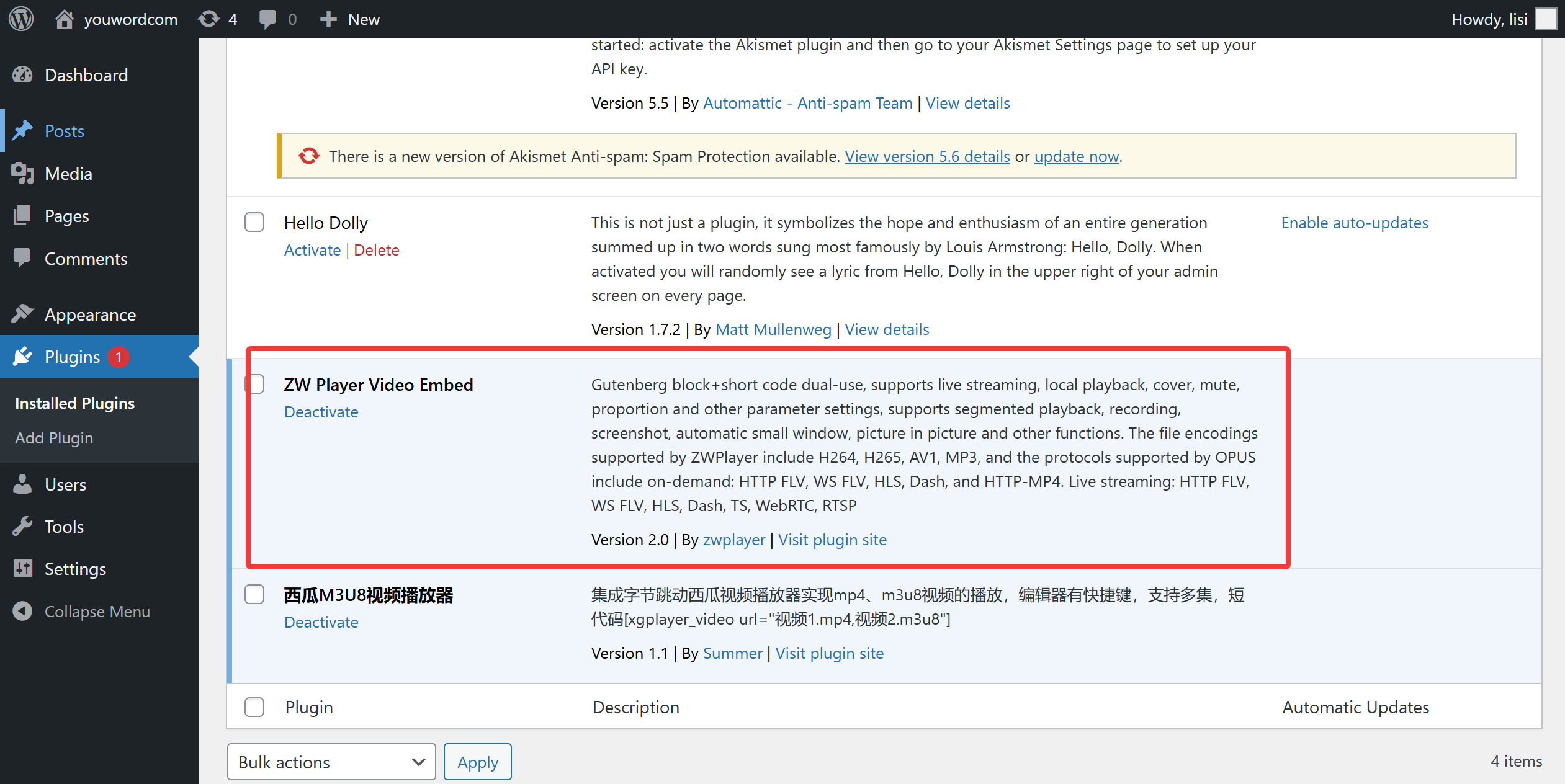
Step 6 — Plugin activated successfully
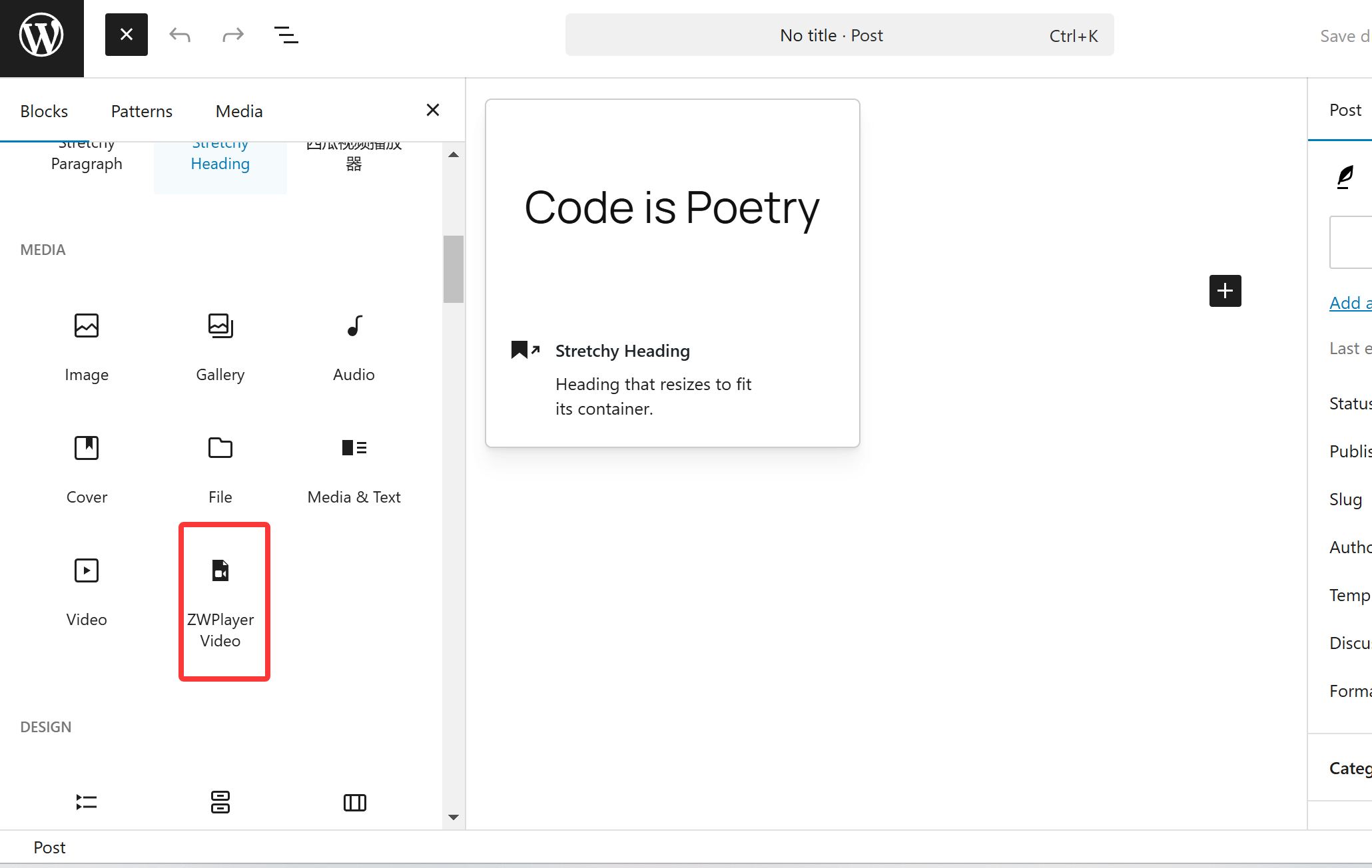
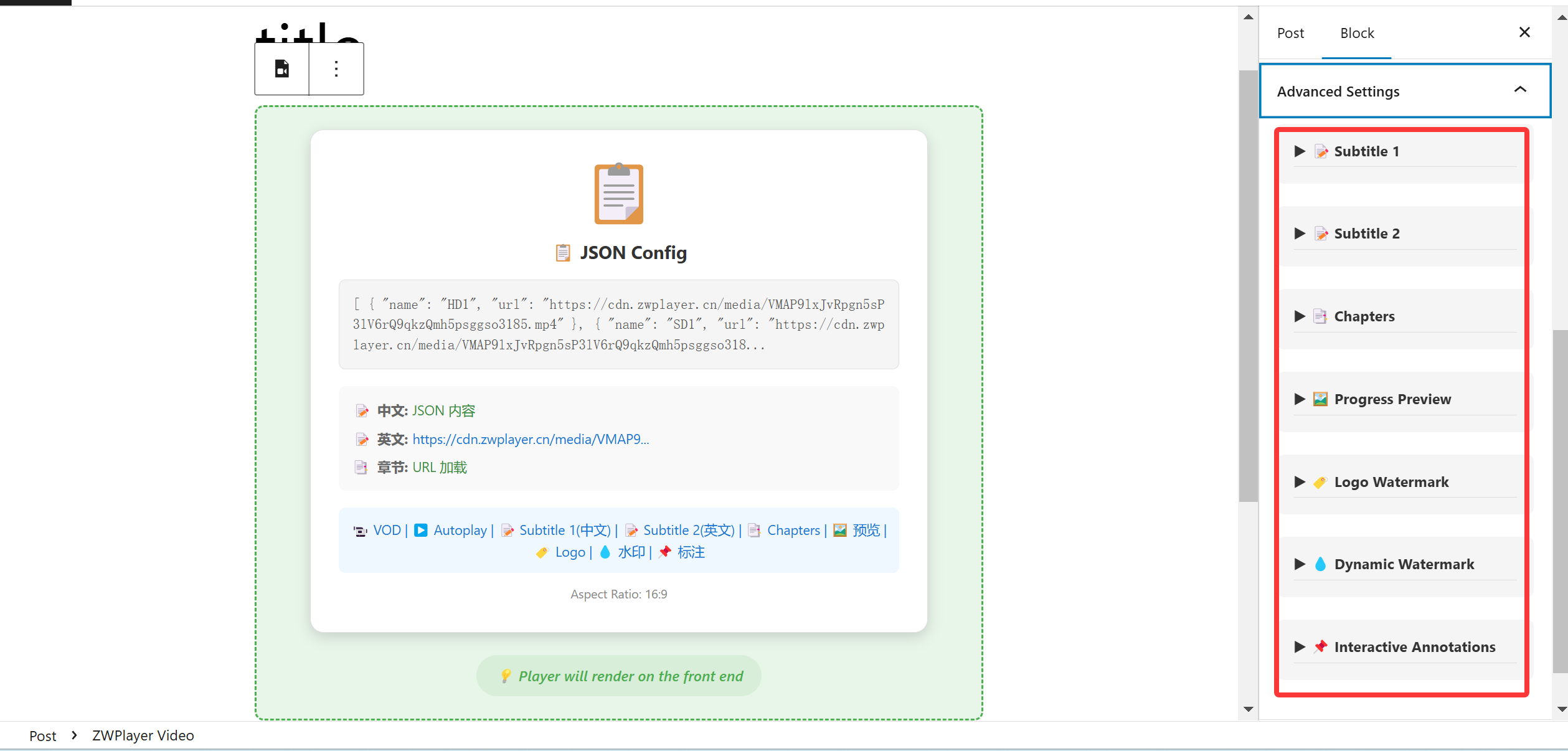
Step 7 — Add the ZWPlayer block in the post editing page
Step 8 — Configure the video stream URL
Step 9 — Publish the post and preview the playback
❓ Frequently Asked Questions (FAQ)
Q: Is the plugin free? Will there be ads or watermarks? A: Completely free and without watermarks. We are committed to providing a pure playback experience. All advanced features (such as recording, RTSP support, subtitle translation, and playlists) are open for free.
Q: Can visitors drag and drop local videos to play directly? A: Supported! ZWPlayer supports local file drag-and-drop playback, currently supporting formats such as MP4, WebM, MOV, MKV, M4V, OGG, FLAC, WAV, M4A, MP3, OPUS, etc.
Q: Will the recording function consume my server resources? A: No. For privacy and performance considerations, recording and screenshot functions are completely processed locally in the user’s browser, and the generated files are directly downloaded to the user’s device, never occupying your server’s bandwidth and storage.
Q: Can multiple subtitles be shown at the same time? Does it support subtitle translation? A: Yes. The plugin supports loading two or more subtitle files with free primary/secondary track assignment, and the built-in translation panel supports 13 target languages, displaying results in real-time as a secondary subtitle — perfect for language learning, cross-border trade, and multilingual content operations.
Q: Can subtitles be searched and customized? A: Yes. The built-in subtitle search panel supports finding lines by keyword, jumping instantly, and looping per line; the subtitle settings panel independently adjusts font size, color, outline, position, and background opacity for each track.
Q: Does it support 360° VR panorama video playback? A: Yes! ZWPlayer natively integrates 360° VR panorama rendering. You can choose Auto-detect or Force VR mode in the WordPress block sidebar and configure initial perspective parameters (Yaw, Pitch, FOV) using optional JSON settings.
Q: How do I configure multi-language audio dubbing tracks for a video? A: In the “Audio Tracks (Dubbing)” panel of the Gutenberg block sidebar, you can add multiple external audio URLs (supporting MP3, M4A, AAC, OGG, WAV, etc.), set language codes, display names, and mark default tracks. Viewers can switch audio tracks with click during playback.
Q: How do I configure a playlist? What scenarios is it suited for? A: Playlists are based on the ZWMAP protocol with multi-level grouping. Each video item can independently configure poster, subtitles, chapters, and more, with auto-resume progress and auto-play next. Ideal for course series, video albums, and multi-episode continuous playback — no code needed, just export data from the online playlist editor and fill it into the block.
Q: Can the watermark feature prevent videos from being pirated?
A: It helps with tracing. Watermarks support image/text types with three modes: static, dynamic (moving), and tile. Dynamic watermarks move continuously and are hard to cover, while text watermarks support variables like {user_name} and {sys_time} for runtime substitution, making it easier to trace leaks. Generate with zero code via the online watermark editor.
Q: How do I use chapters, thumbnails, and annotations? Do I need to write code? A: No code at all. Every feature has a companion online editor that generates ZWMAP data visually. After export, load it directly via Gutenberg block or shortcode attributes — a true “online editor → export data → WordPress publish” zero-code workflow.
Ready to upgrade your website’s video experience?
A free WordPress player solution with full features and excellent performance. Reviewed and approved by the WordPress plugin review team.