
Adaptive Bitrate & Live Chasing: ABR Playback Guide
One video, 360p without buffering in the subway, 1080p crisp at the office — not two files, but multi-bitrate stream plus a player that reads the network and picks. Using a real five-tier HLS stream, this guide walks ZWPlayer’s multi-bitrate experience: manual switching, auto adaptation, live chasing, and how publishers author multi-tier sources.
What a Multi-Bitrate Stream Is
An HLS master playlist / DASH MPD can declare multiple renditions — each an independently encoded video (270p/360p/480p/720p/1080p…) — and the player picks which to fetch. Background reading: HLS and the m3u8 format and the DASH MPD deep dive.
The viewer-side value in line: downshift to stay smooth on bad networks, upshift for quality on good — no reload, no page change.
Viewer Side: The Quality Menu and AUTO
The control-bar quality button opens the menu:
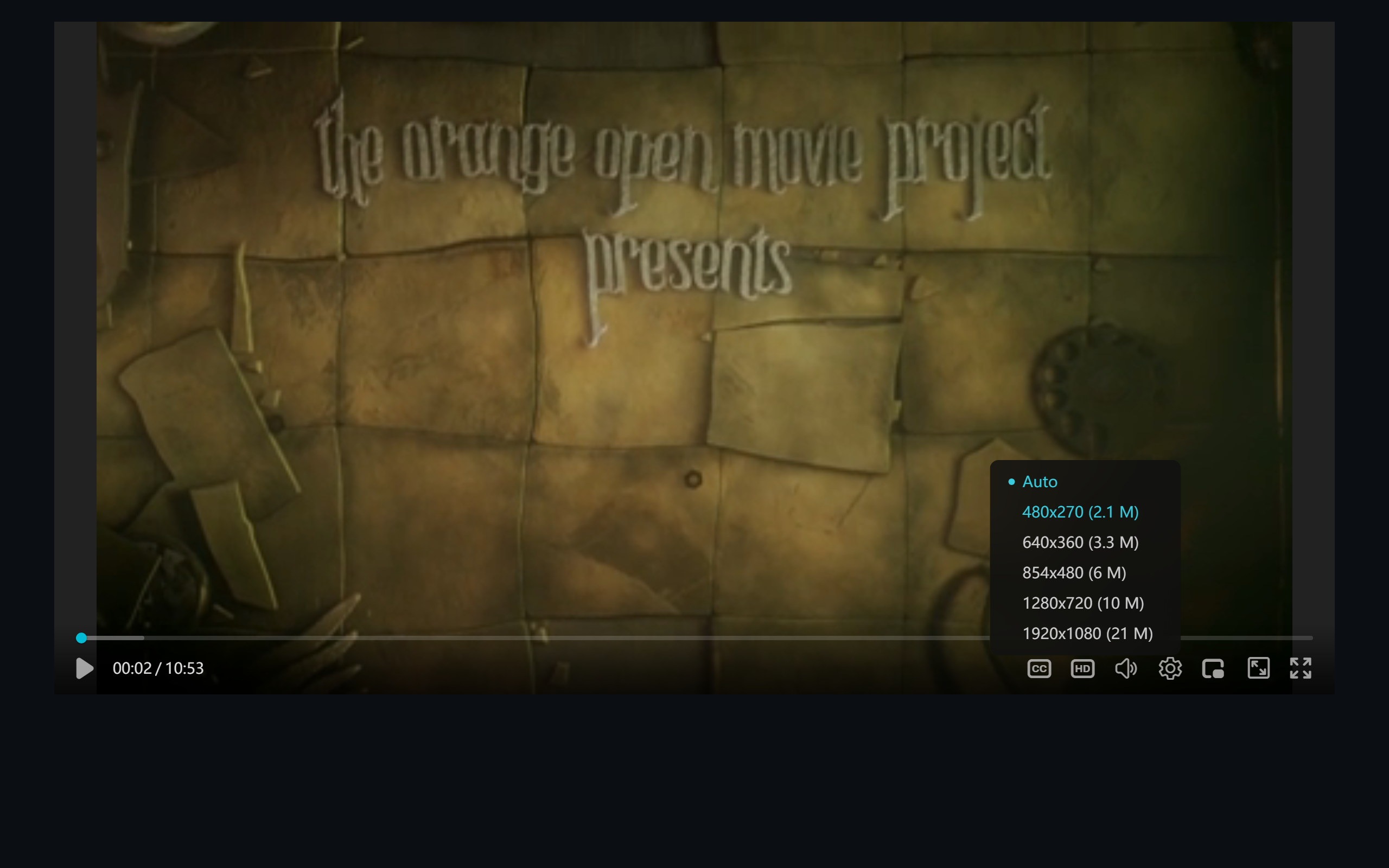 Figure 1: five tiers plus the AUTO SWITCH item
- Manual pick: click any tier to switch instantly (current tier highlighted);
- AUTO SWITCH (default): the player monitors throughput and buffer in real time and moves tiers up and down on its own.
Note each tier carries resolution and bitrate (1920x1080 (21 M)) — legible to viewers and instantly diagnostic (“why am I stuck at 270p” reads as a source or network issue at a glance).
How Seamless Switching Works
Switching happens at segment boundaries: the current segment plays out, the next arrives from the new tier at the matching position, the timeline holds, the screen never blanks. The segmented design of HLS/DASH supports this natively (same timeline, tier-aligned segments); the player’s job is buffer management (what to keep after a switch) and switching hysteresis (avoiding ping-pong tiers on network jitter).
Live Chasing: Quietly Catching Up
Live has a special failure: the viewer paused, or the network hiccuped, and now they trail the live edge by tens of seconds. ZWPlayer’s strategy:
- when buffering falls behind the edge beyond a threshold, slightly accelerate playback (e.g. 1.1×) to creep back, instead of jumping (jumps skip content);
- back at the edge, resume normal speed — the viewer barely notices;
- if the gap exceeds the catchable range, jump to the edge.
For slow TV (scenic, construction) and e-commerce live, this keeps viewers “at the scene” permanently.
Publisher Side: Authoring Multi-Tier Sources
- FFmpeg one-shot:
-filter_complexwith multiple scale outputs +var_stream_mapproduces multi-tier HLS; DASH uses-adaptation_sets; - Tier spacing: adjacent tiers ~1.5–2× apart in bitrate (a common ladder: 0.5M/1M/2M/4M/8M for 270p→1080p);
- Aligned segments: matching keyframe intervals and segment durations across tiers make switching clean;
- The lazy route: M3U8Grab verifies multi-tier manifest structure in reverse, or let a transcoding service emit standard multi-tier HLS.
FAQ
Only tier in the menu? The source is a single-tier media playlist. Check the master for multiple #EXT-X-STREAM-INF entries.
AUTO parks at the bottom tier? Measured bandwidth or buffer is insufficient. Players are rightly conservative about upshifting (a failed upgrade stalls; a downshift just softens) — that’s correct trade-off behavior.
Does switching reload the page? No — segment-boundary switching keeps position and state.