
Music Mode: Turn a Web Player into a Music App
Playing songs in a video player shows a frozen frame and a progress bar — the experience stops at “it makes sound”. ZWPlayer’s music mode (
mode: 'music') switches the whole face to a music player: spinning vinyl, scrolling lyrics, a dancing spectrum — option takes audio from “plays” to “performs”.
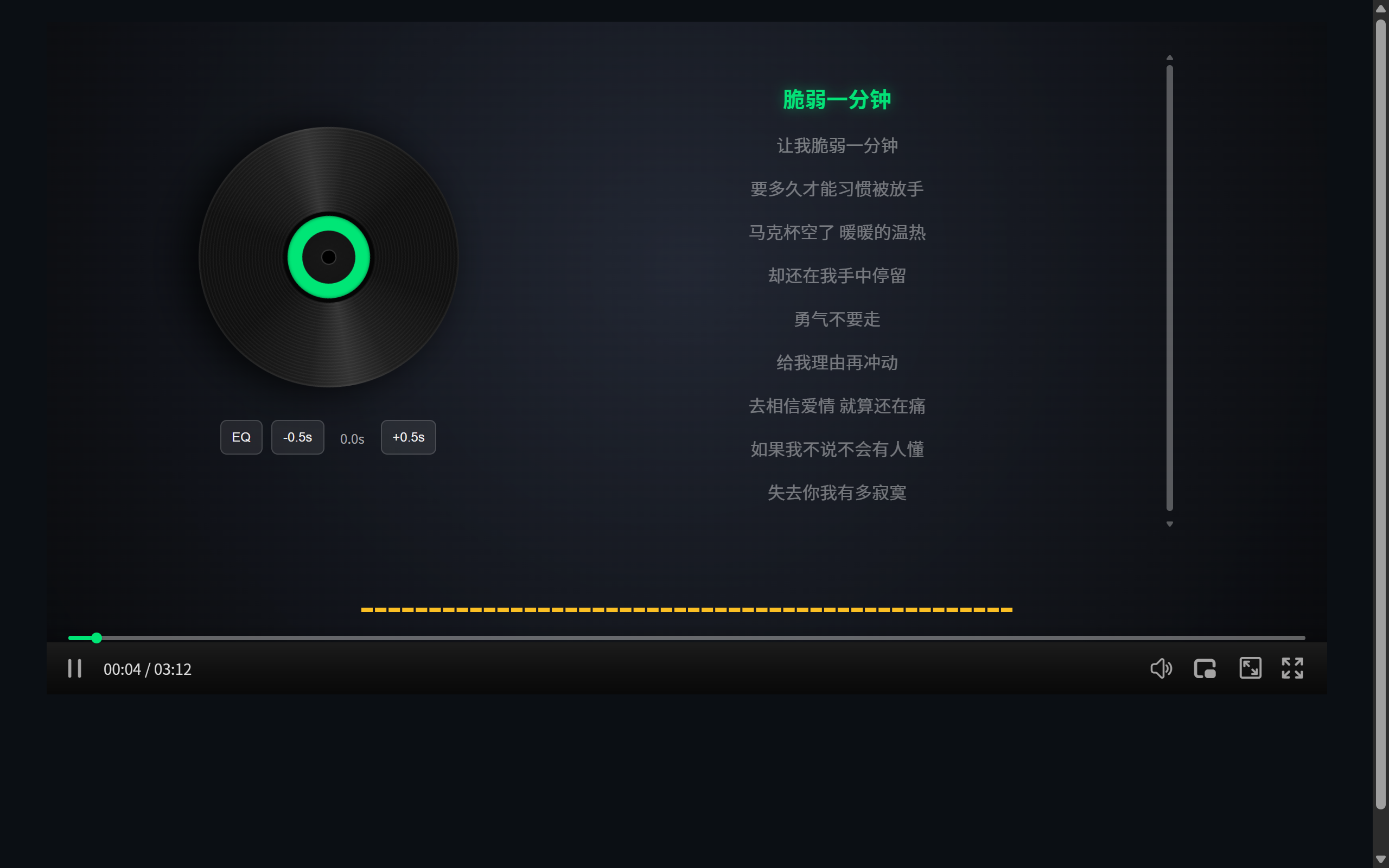 Figure 1: music mode — spinning vinyl, scrolling LRC lyrics, live spectrum
One Option Does the Switch
new ZWPlayer({
  playerElm: 'player',
  url: 'song.mp3',
  mode: 'music',
  music: {
    theme: 'vintage',      // theme (vintage / classic / auto)
    vinyl: true,           // spinning vinyl
    panel: 'full',         // layout (full / bar)
    visualizer: 'classic', // spectrum form
  },
  lyrics: LRC,             // LRC array or URL
});
mode: 'auto' lets the player decide by media type — audio files enter music mode, video returns to standard — mixed sites configure nothing per item.
LRC Lyrics: Line and Word
lyrics accepts an LRC URL or a text array. Rendering covers two granularities:
- Per line: whole lines highlight and scroll by line timestamps — the shape of most LRC files;
- Per word: word-level timestamps (inline
<mm:ss.xx>marks) light up karaoke-style.
The active line centers automatically, sung/unsung colors differ, and clicking any line seeks to it — “lyrics as the progress bar”.
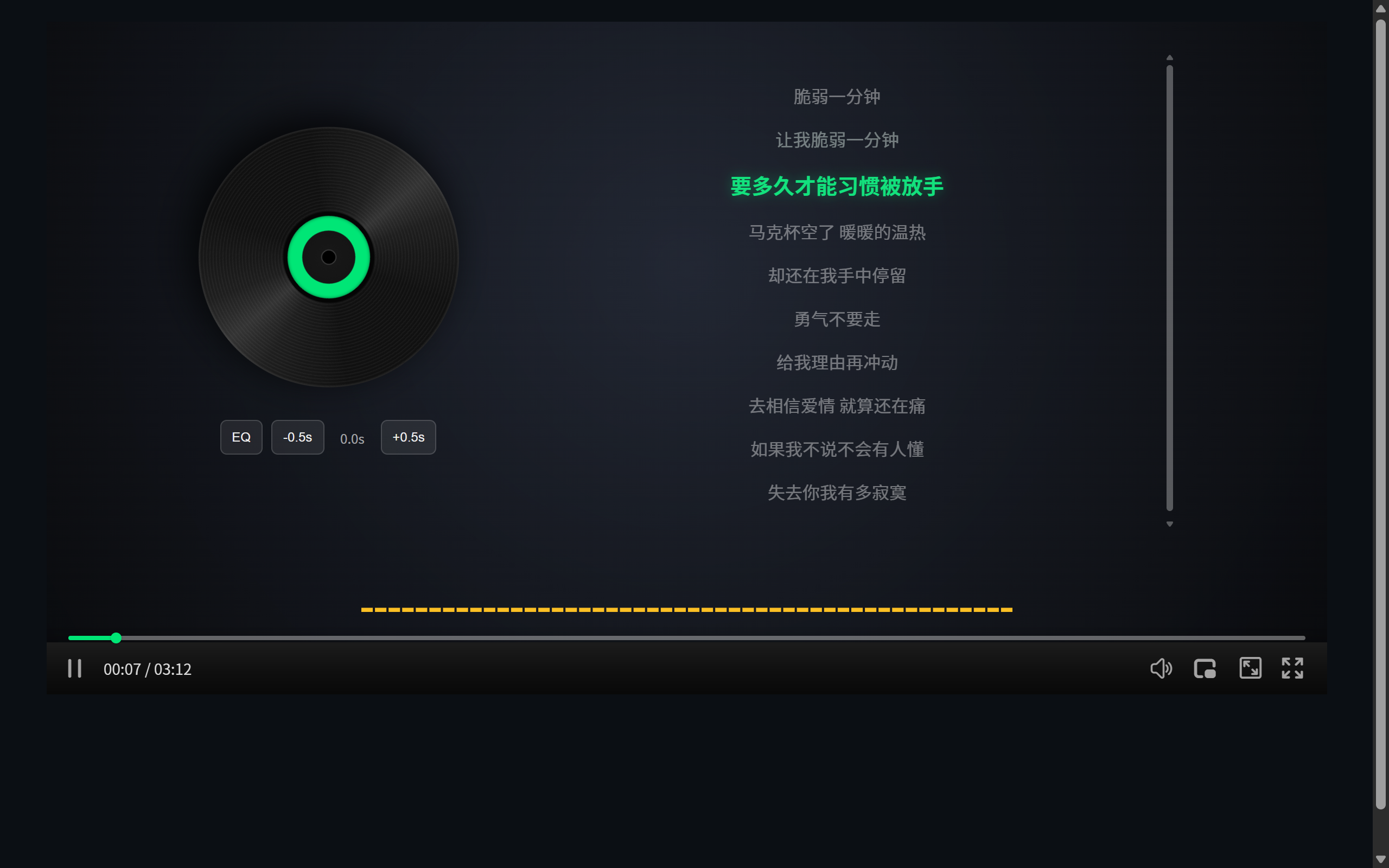 Figure 2: the spectrum rides the music as lyrics keep scrolling
The Spectrum
Music mode ships several visualizer forms (classic bars, mountain, circular and more) driven live by Web Audio. It gives pure-listening content a visual layer — an upgrade for music sites, podcasts, and white-noise tools alike.
Who Should Use It
- Podcast / radio sites: episode pages become real radio interfaces;
- Music teaching: phrase looping (with the A-B loop) plus word-lit lyrics or scores;
- White-noise / meditation apps: visualization is atmosphere;
- Artist pages: vinyl + lyrics + spectrum feels like a release, not an embed.
Audio format compatibility details are in Browser Audio Format Support: From MP3 to Opus.
Practical Notes
- Queue: multi-track scenarios use
music.trackswith prev/next and loop modes; - PiP: music mode supports picture-in-picture — keep listening while browsing;
- Defaults: no
musicconfig still works — placeholder vinyl art and a basic spectrum out of the box; - Videos too: playing a video file in music mode auto-grabs a frame for the cover and hides the picture — “listen to the MV”.