
Thumbnail Sprite Generator: Progress-Bar Previews
Drag the progress bar on YouTube or Bilibili and a frame preview pops up at the hover point — the mechanism is not “one network request per time position” but a sprite sheet: frames sampled at a fixed interval, stitched into image, plus a JSON mapping “cell N = second M”. The player crops the right cell on hover — zero extra requests, instant response. ZWPlayer’s online generator turns the making of that asset into a one-click job.
The Mechanics in Thirty Seconds
video ──sample by interval──► N small frames ──stitch──► 1 sprite sheet
                                                    └──► mapping JSON (time → cell)
player hovers the bar ──lookup──► crop the cell ──► show preview
Two knobs matter: the sampling interval (seconds per frame — preview granularity) and the cell size (clarity vs. sheet weight).
Three Steps
- Load video: paste a URL or drop a local file — parsed in-browser, never uploaded;
- Set and generate: interval, size, columns; watch the sampling progress and the finished sheet live;
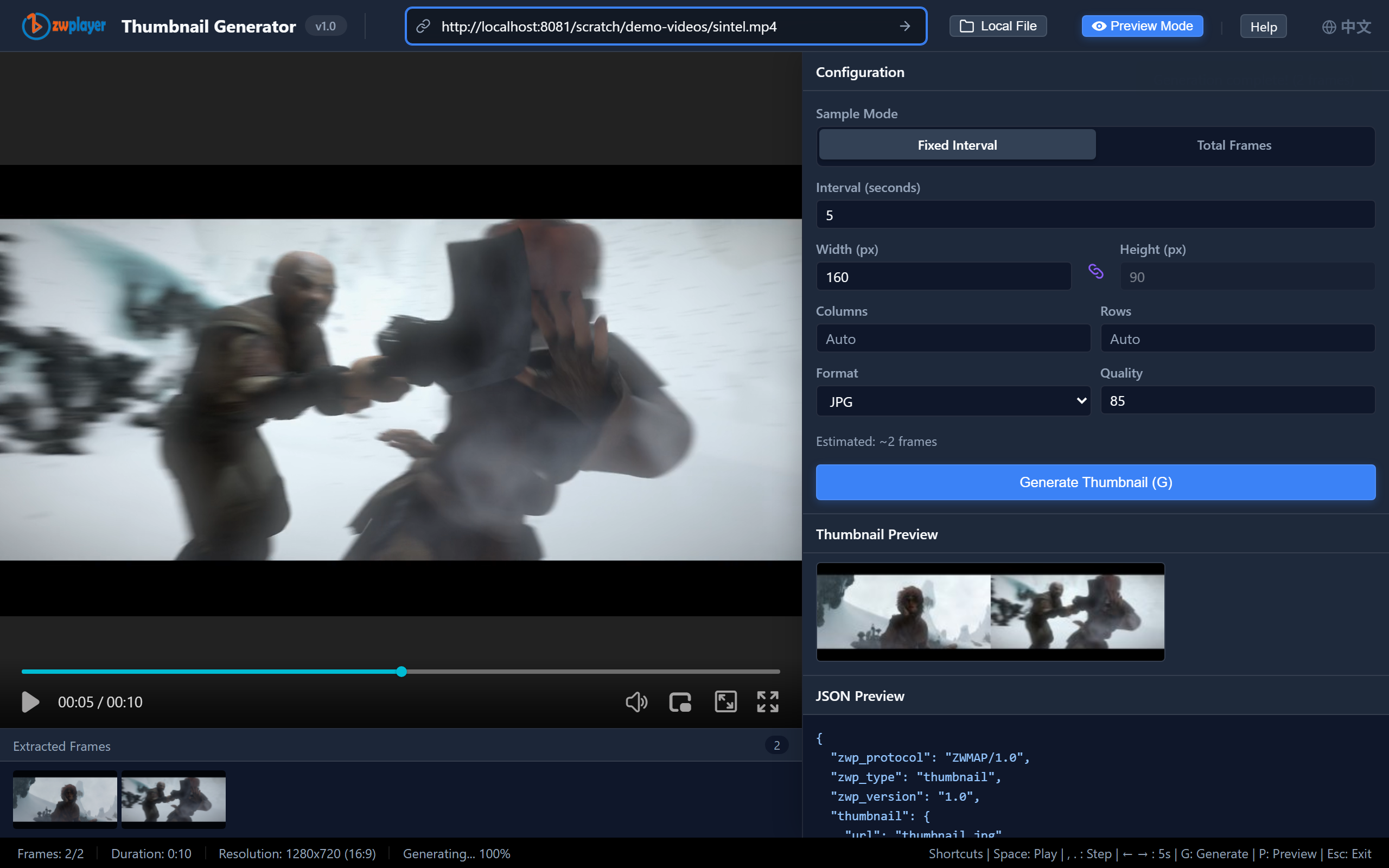 Figure 1: generation finished — the frame grid and stats at a glance
- Export: download the sheet + the ZWMAP thumbnail JSON and hand both to the player.
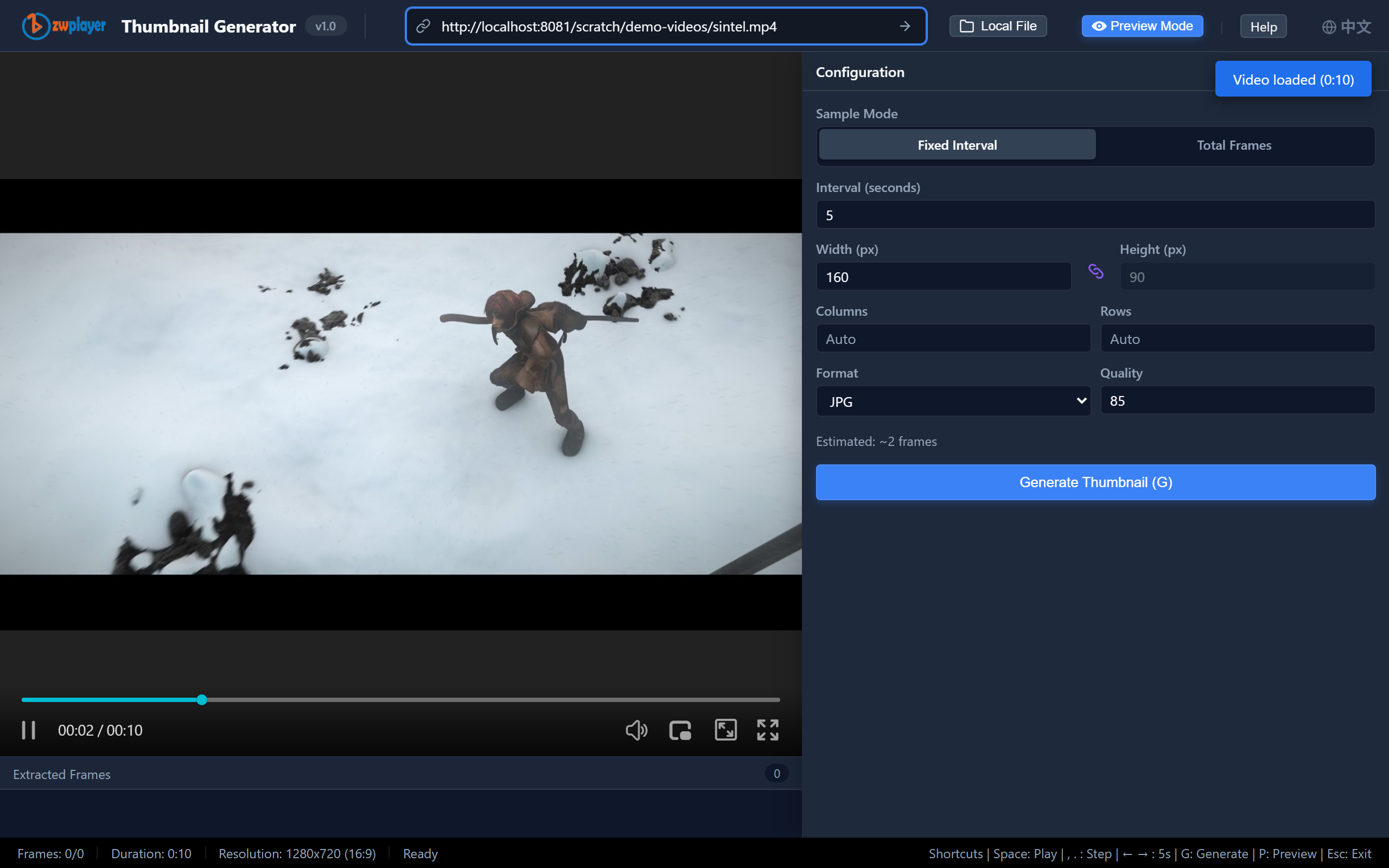 Figure 2: the generator — parameters on the left, preview in the middle
Preview: The Player Side
Hit “Preview” for a real ZWPlayer — the generated sprite hooks straight into the player: hover the progress bar and the frame preview for that moment pops up instantly. Exactly what viewers get.
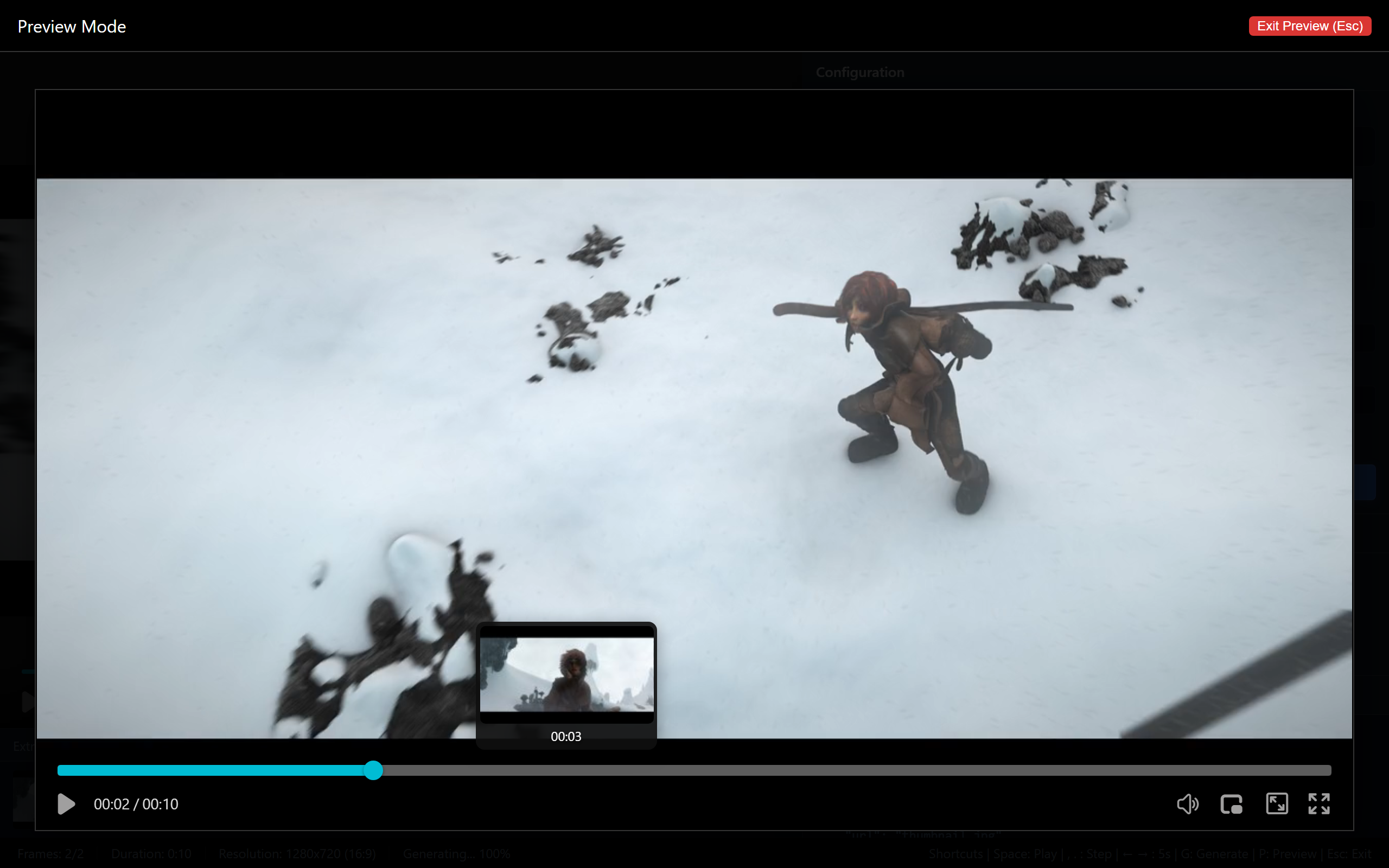 Figure 3: preview — hovering the bar pops the frame preview for that moment
Wiring the Player
new ZWPlayer({
  playerElm: 'player',
  url: 'lesson.mp4',
  thumbnails: '/thumbs/lesson.json',   // ZWMAP thumbnail JSON (sheet URL + mapping inside)
});
One option and hover previews work. Stacked with chapters and the playlist editor, chapter markers and thumbnails cooperate on bar — the navigation experience matches the major platforms.
Balancing Size and Experience
- Interval: 5–10 s per frame for talks and lectures; 2–5 s for film-like content;
- Size: 160×90 is the sweet spot; even 4K sources should scale down — previews need “recognizable”, not “detailed”;
- Long videos: 2 hours at 10 s ≈ 720 frames; split into multiple sheets if grows too heavy (the JSON supports multi-sheet entries);
- The lazy route: for local libraries, ZWScan auto-matches same-named thumbnail JSONs during scanning.