
WebVTT Chapter Editor: A Table of Contents for Video
An hour-long talk replay, a forty-minute lesson — a video without a table of contents forces viewers to scrub on faith. Chapters are the TOC of long video: segmented progress bar, floating chapter names, click to jump. ZWPlayer’s chapter editor reduces marking chapters to a few clicks against the picture.
Interface and Timeline: Mark As You Watch
The center is the video canvas with chapter markers overlaid; the timeline below advances with playback, segmenting live as chapters are defined. The left list manages every chapter; the right property panel edits the selected one.
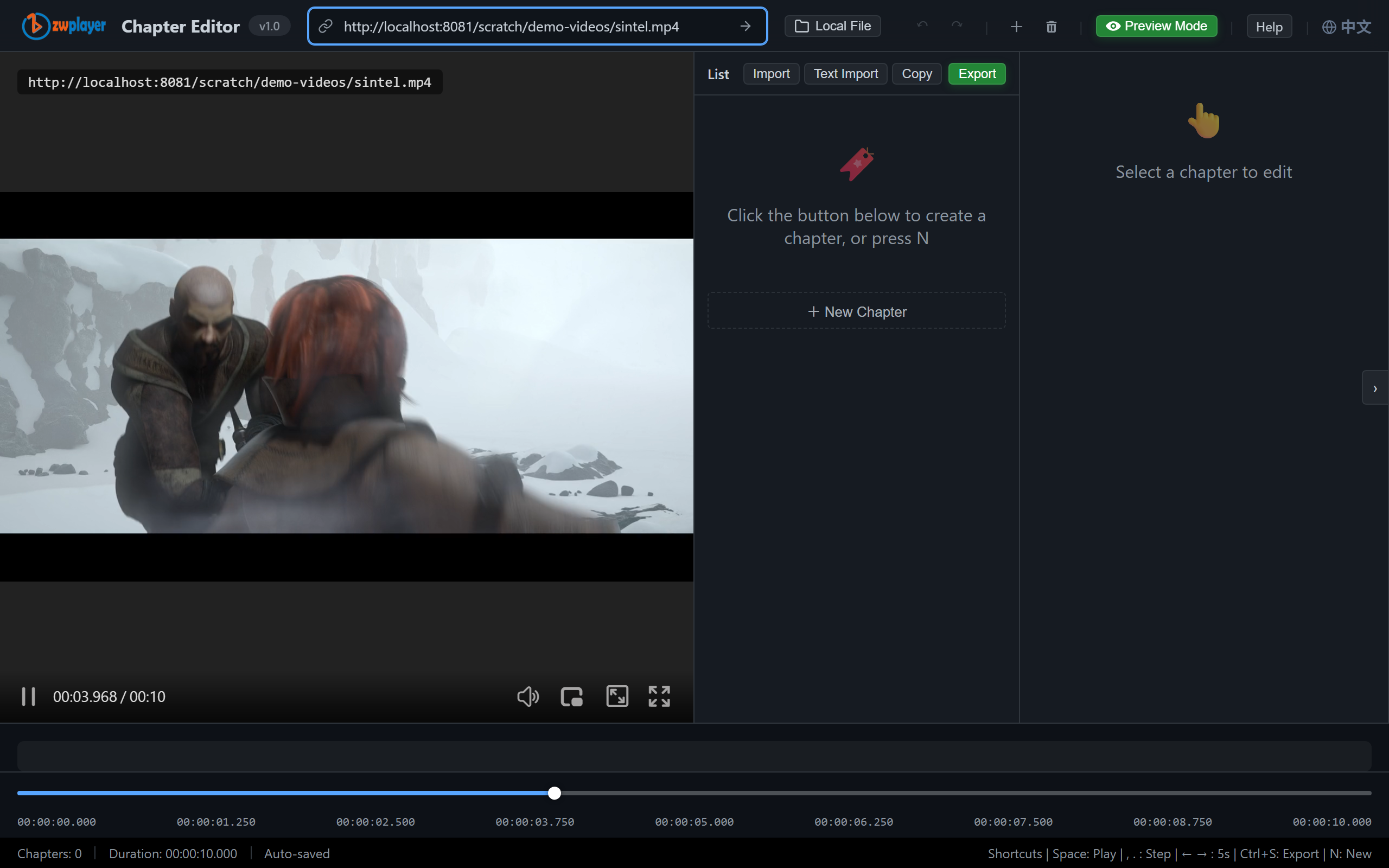 Figure 1: the editor — video canvas, segmented timeline, chapter list (Opening / Enter the Characters / Duel and Turn)
Marking Chapters: Three Minutes to Learn
- Load video: paste a URL or drop a local file (in-browser parsing, never uploaded);
- Play to a chapter start and hit “Add” — the timestamp comes from the playhead, far more precise than hand-writing;
- Flesh it out in the property panel: title, optional description, background color, image — all of which surface in the player’s chapter cues.
Tweaks never mean starting over: nudge start/end frame by frame (, and .), conflicts get validation hints, and undo/redo has your back.
Export: WebVTT and JSON
The JSON panel mirrors chapter data live — edit, copy, or export. Pick by consumer:
- WebVTT (.vtt): the web and HLS standard, native to
<track>; - JSON (ZWMAP chapters): mounts directly in ZWPlayer config and carries extended fields like description and colors.
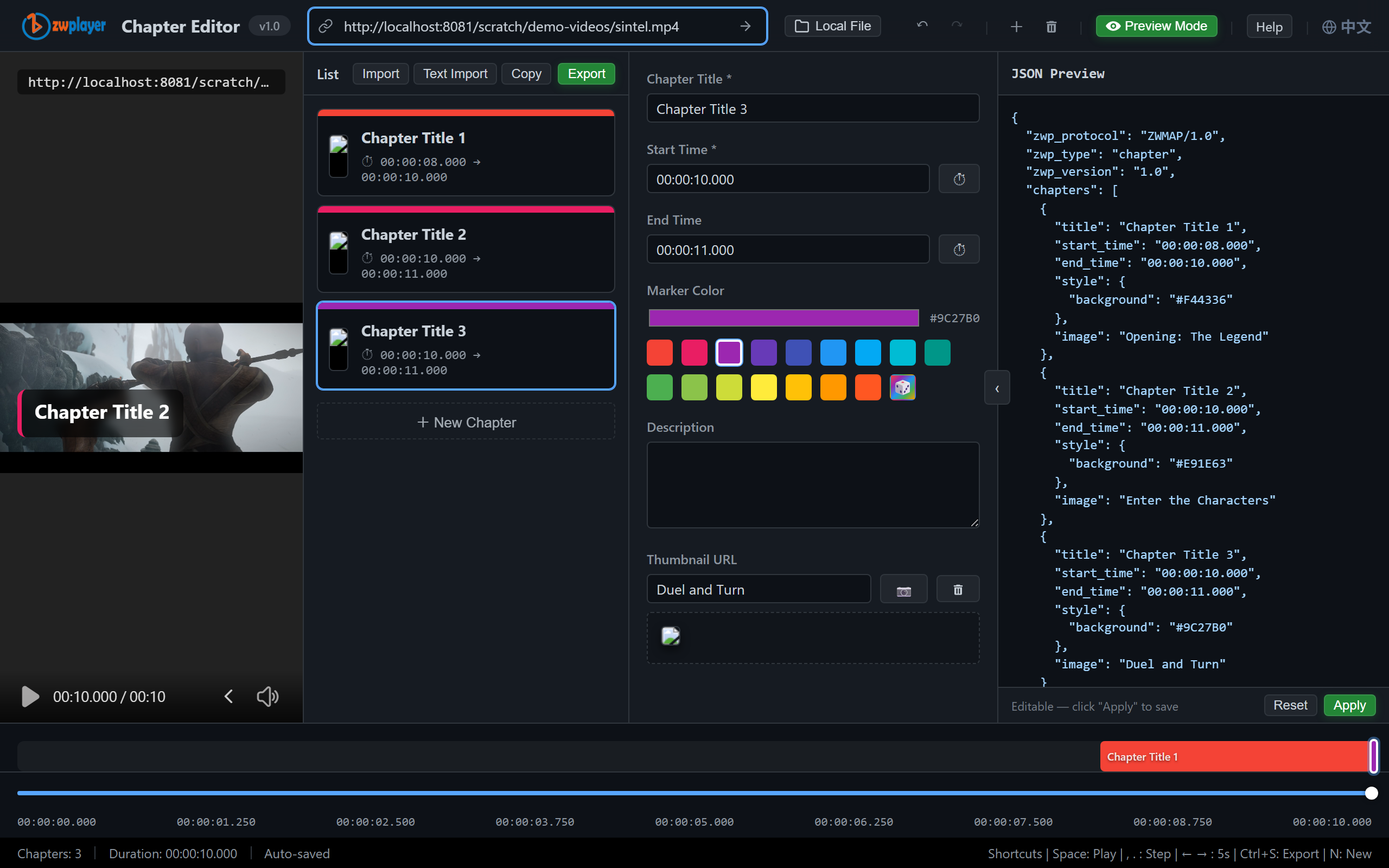 Figure 2: the JSON panel — chapter data, what you see is what you ship
The Player Side: The TOC Viewers Get
Hit “Preview” for a real ZWPlayer — exactly what viewers see: the progress bar segmented by chapter, hovering floats the chapter name, and the control bar’s chapter panel lists every chapter for click-to-jump.
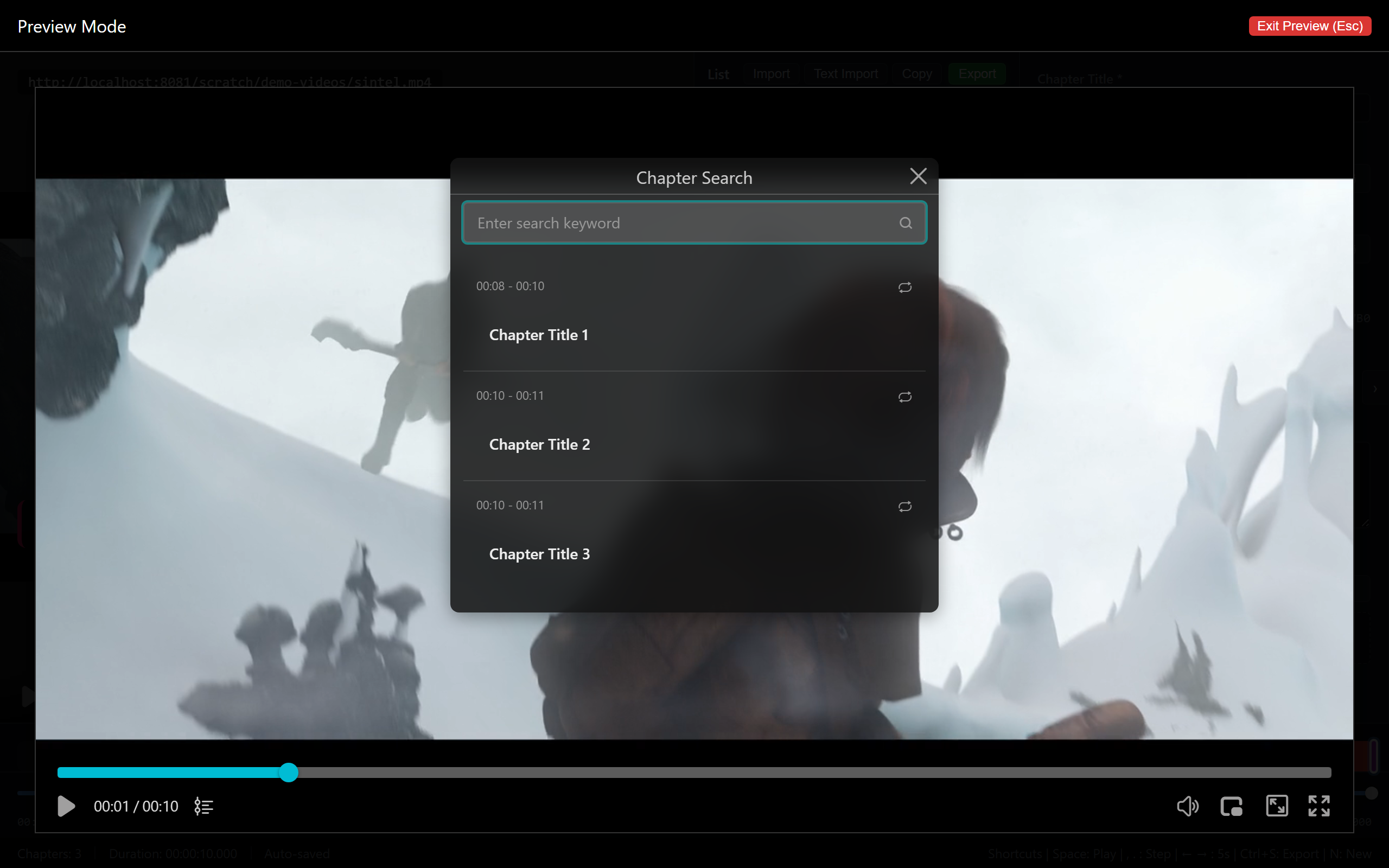 Figure 3: the player — the chapter panel lists all chapters, bar segmented
Wire it into your page:
new ZWPlayer({
  playerElm: 'player',
  url: 'talk.mp4',
  chapters: '/chapters/talk.vtt',   // or .json
});
The VTT format looks like this:
WEBVTT

Chapter 1
00:00:08.000 --> 00:01:05.000
Opening: The Legend
For the VTT chapter markup spec itself, see WebVTT Chapter Markers: A Developer’s Guide.
Four Design Principles
- Granularity 3–8 minutes: finer becomes bookmark spam; coarser equals none;
- Human titles: “Why it’s fast” beats “Section 3.2: Core Algorithm (Part 2)”;
- Open with an overview chapter: a “what’s inside” at 0:00 — viewers decide in 30 seconds;
- Stack with thumbnails: chapter marks plus progress previews match the major platforms’ navigation.
Advanced: Playing With Lists
In series scenarios the playlist editor attaches chapters per entry — continuous numbering across episodes surfaces as a season-level TOC in the list panel. Add dual subtitles and subtitle search (search a line, jump to its chapter) for the full “video as a book” experience.
FAQ
Chapters not showing? Check in order: file reachability (network panel), timestamp format (VTT uses . for milliseconds), and whether chapter times exceed the video duration.
Can chapters carry colors/styles? Property-panel fields like background color travel via ZWMAP JSON and render in the player’s chapter cues.
Import an existing SRT/VTT to revise? “Import” takes VTT/JSON straight into the editor for further editing.