
From Shooting to Publishing: 360° Video Web Workflow
Shooting the panorama is the easy part — what comes after is where projects stall: multi-gigabyte exports, pages that never finish loading, a flattened picture in the player, then a black screen from CORS. This article strings the whole pipeline — shoot → export → optimize → deploy → embed — into walk-through with parameters and tool picks at every step.
Pipeline Overview
Shoot ──► Stitch & Export ──► (optional) Chunk ──► Host ──► Embed ──► Pre-launch check
 1           2                    3                 4          5            6
Step 1: Cameras and Footage
Consumer panorama cameras are mature. The mainstream picks:
- Insta360 X-series / ONE-series: balanced quality and stabilization, in-camera stitching, export-ready output;
- Ricoh Theta series: compact and consistent — a favorite for interiors and real estate;
- QooCam and other stereo rigs: the option for stereo (1:1 top-bottom) panorama.
One mindset shift: panorama has no “framing” — the camera records the whole sphere. What you plan is the camera position and the initial view (where the audience looks first). In busy scenes, watch the stitch line (avoid placing your subject on it).
Step 2: Stitch & Export — Parameters Decide Everything
Three parameters to watch:
- Strict 2:1 aspect (3840×1920, 4096×2048, 5760×2880…). Web players identify panoramic footage by aspect ratio; a cropped, non-standard frame breaks auto-detection and forces VR mode manually.
- 4K minimum. Panoramic pixels are spread across the whole sphere — 4K panorama looks like ordinary 1080p in any single view. Go 5.7K–8K if budget allows.
- H.264/H.265 with generous bitrate. Motion-heavy scenes (wind, walking) turn into smears when starved. For 4K, stay at 40–60 Mbps or above.
Self-check after export: aspect ratio exact, no artifacts while scrubbing, and a real first frame (not black) — your web poster and first paint depend on it.
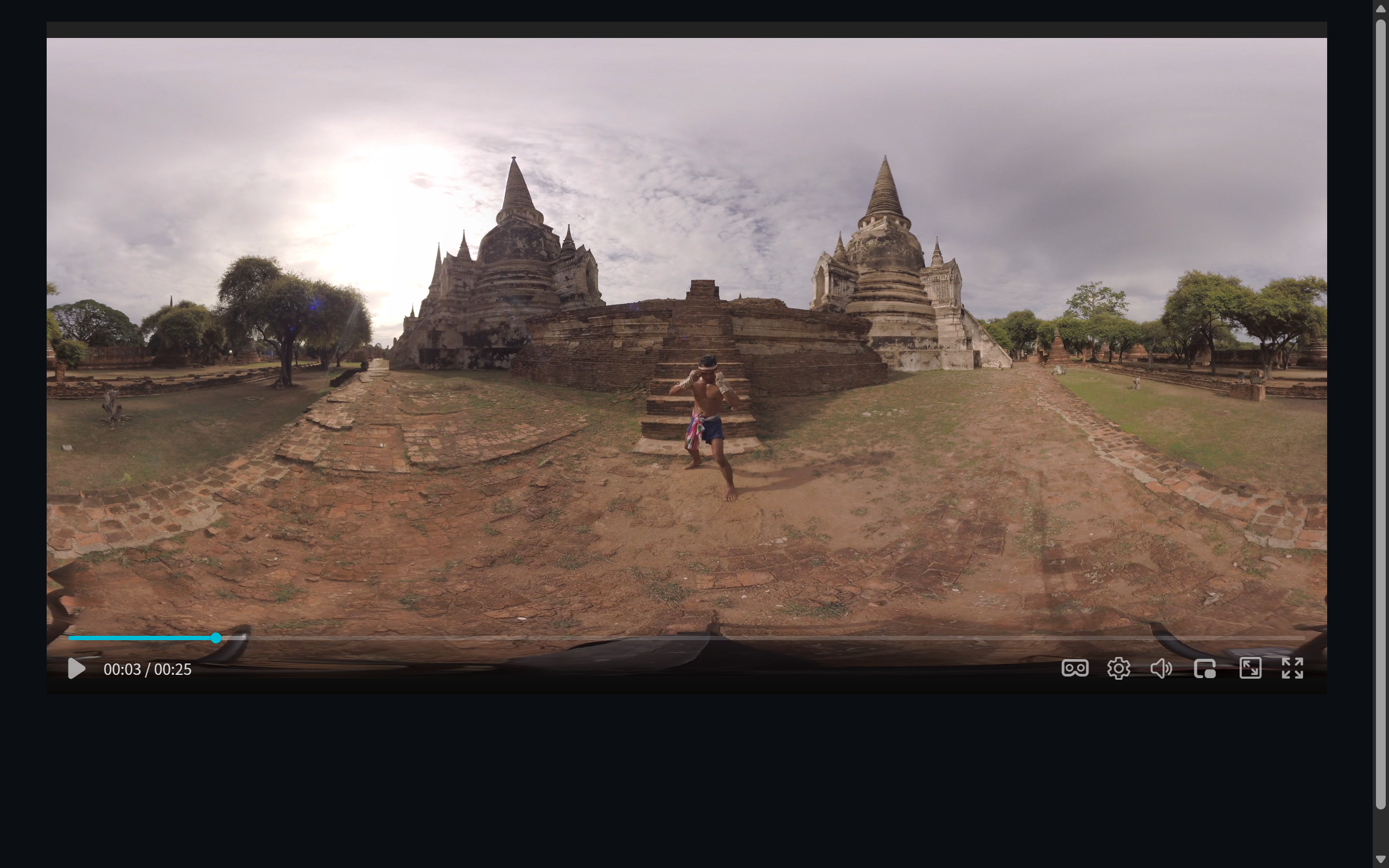 Figure 1: the exported 2:1 footage — preview it flat in a player to check quality before shipping
Step 3: Taming Giant Files — Chunk or Direct Link
A multi-GB MP4 on a web page makes viewers wait. Two routes:
Route A: HLS chunking (recommended). Convert the panorama into m3u8 + segments for on-demand loading, instant start, and seeking. FFmpeg does it in command; or take the zero-learning-curve route with M3U8Grab — nominally a downloader, but its localized output (a complete HLS directory with rewritten paths) works directly as site material.
Route B: direct MP4 with a loading strategy. Fine on intranets or fat pipes; on the public internet, at least ship a low-bitrate preview first and swap in the high-bitrate version on demand.
To ZWPlayer the two routes are url apart — MP4 and HLS enter VR mode equally.
Step 4: Hosting
- Public web: any object storage/CDN that serves HLS static files; the critical bit is configuring CORS headers (
Access-Control-Allow-Origin) — without them WebGL cannot read cross-origin textures and the panorama renders black; - Intranet / local verification: ZWServe starts a zero-config local server with CORS built in — cheapest option during development;
- Origin you cannot touch: front it with the ZWCorsProxy local reverse proxy to add the headers.
Step 5: Embedding in the Page
<div id="player" style="width:960px;height:540px"></div>
<script src="/zwplayer/zwplayer.js"></script>
<script>
  new ZWPlayer({
    playerElm: 'player',
    url: 'https://cdn.example.com/panorama/index.m3u8',
    vr: { mode: 'auto', fov: 80 },
    autoplay: false,
    controlbar: true,
  });
</script>
Do not guess the initial view: run an intranet build first, tune live with the player’s VR settings panel, click “copy config” to capture yaw/pitch/fov, and hardcode them into the vr options. The full procedure is in Play 360° VR Video on the Web with Config Line.
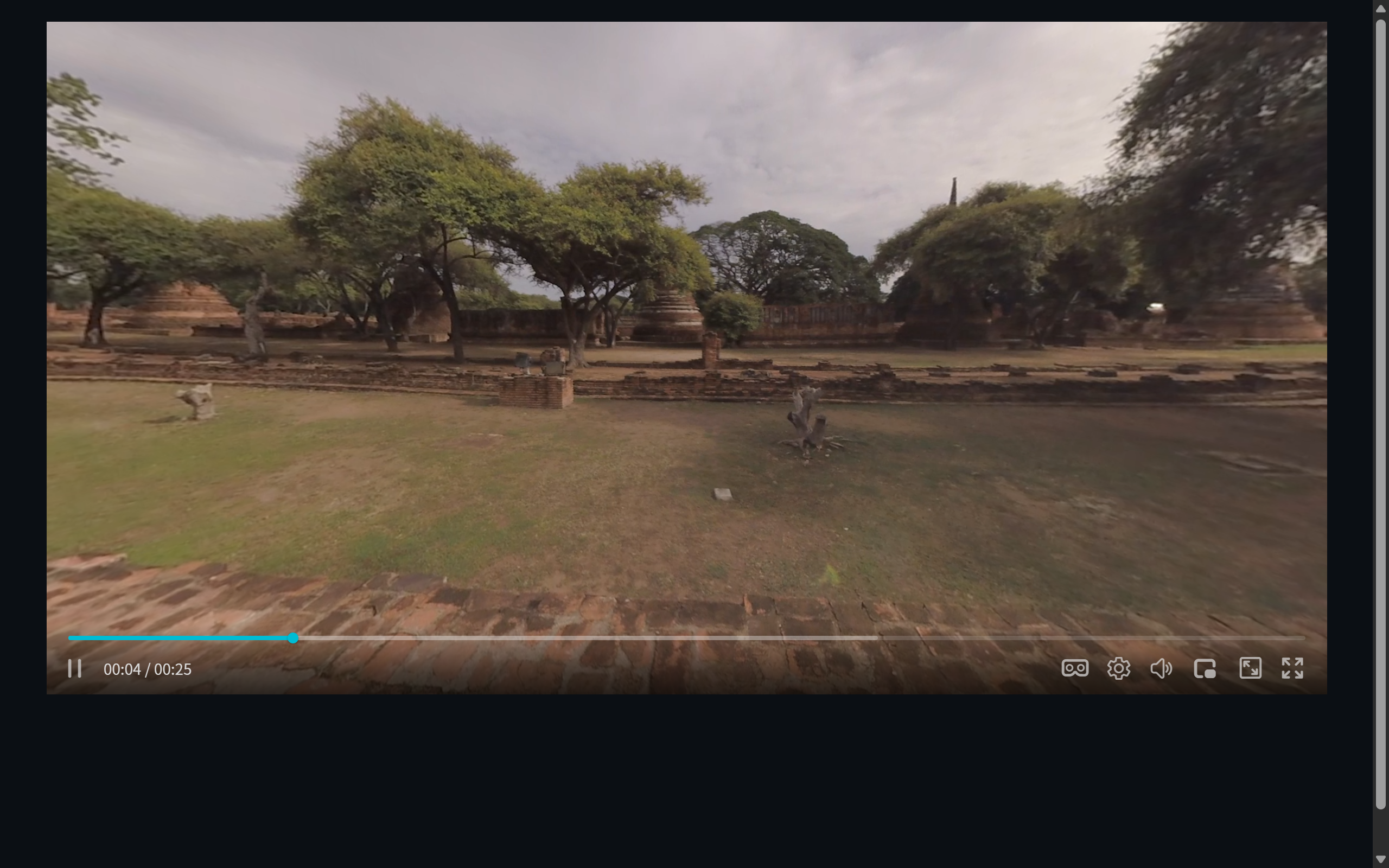 Figure 2: the finished panorama embedded in a web page
Step 6: Pre-Launch Checklist
- [ ] Aspect is 2:1;
mode: 'auto'enters panorama by itself; - [ ] Video source sends CORS headers (no SecurityError in the console);
- [ ] HTTPS: browser autoplay policy requires a secure context;
- [ ] Run a real phone once: smooth swiping, tappable control bar;
- [ ] Simulate slow network: no black gaps while chunks load, the progress bar drags;
- [ ] First frame / poster is not black.
Three Typical End-to-End Scenarios
- Scenic-area website: fixed daytime position, 8K footage → HLS chunks → CDN with CORS → page with
autoRotateslowly turning the view; - Property showings: shoot room by room with a Theta → page per room →
yawpointed at the selling points (windows, main bedroom) → collect booking requests with annotation components (hotspots overlay neatly on panorama); - Campus / laboratory: a panoramic camera position plus narration track → subtitle tracks attached → chapter markers for room-by-room navigation.