
Bilibili-Style Hover Preview: The preview Mode
Static covers on list pages show a face; Bilibili’s answer is hover-to-play — park the mouse and the card silently loops a highlight; move away and it resets. The click-rate lift is immediate and proven across platforms. ZWPlayer ships it as
mode: 'preview': option plus four parameters.
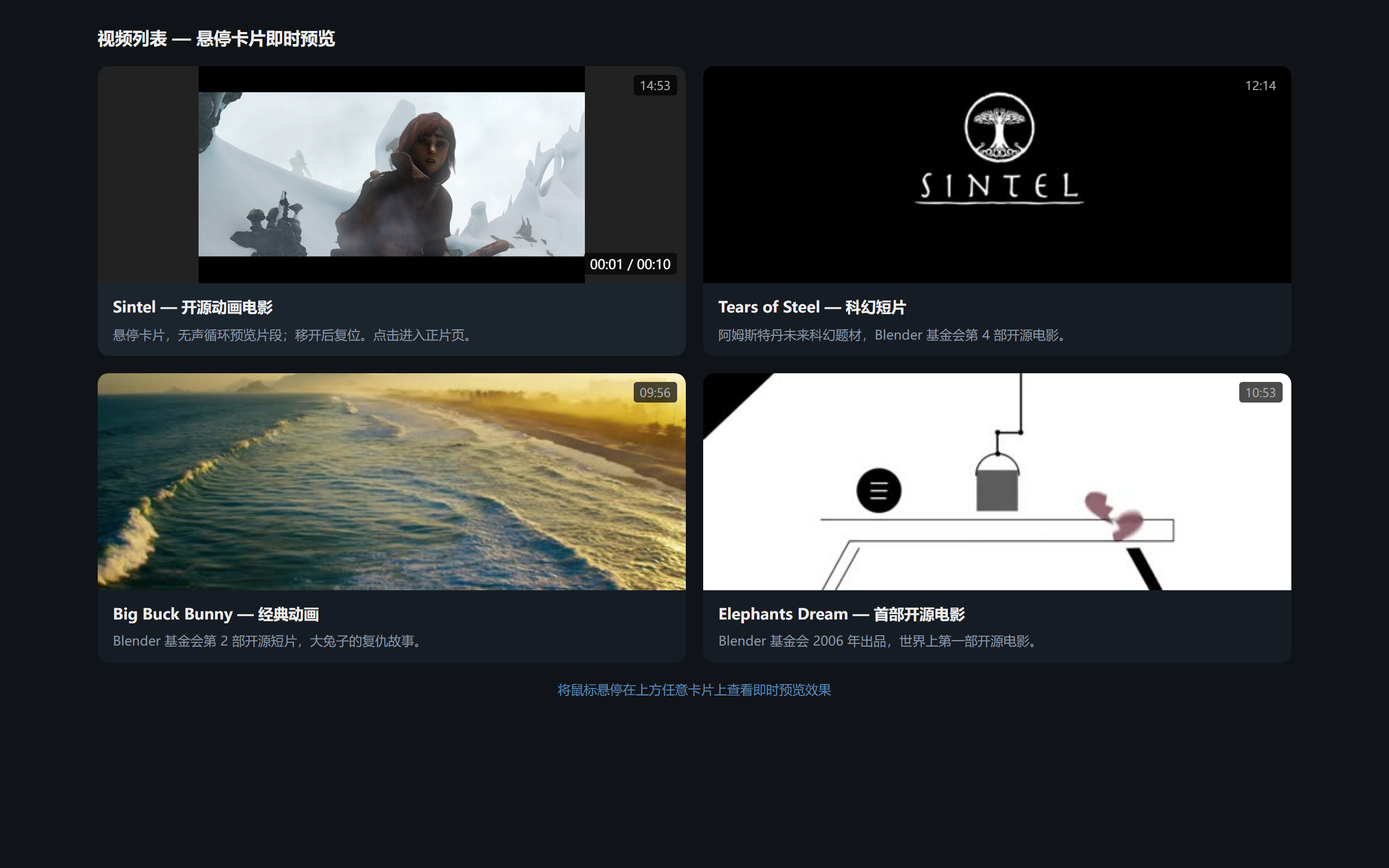 Figure 1: hovering a list card — the thumbnail area plays a muted looping clip
Configuration
new ZWPlayer({
  playerElm: 'player',
  url: 'clip.mp4',
  mode: 'preview',
  preview: {
    hoverToPlay: true,   // hover triggers playback
    startTime: 20,       // preview from 0:20 (aim at the highlight)
    duration: 8,         // loop after 8 seconds
    resetOnLeave: true,  // reset to the start frame on leave
  },
  controlbar: false,     // preview usually hides controls
});
Each parameter answers a product question:
startTime: never start previews on a black intro — point at the strongest passage;duration: 3–8 seconds is the sweet spot — enough to convey, not enough to annoy;resetOnLeave: every hover starts from the same frame — predictable behavior;- Muted: previews force mute — both an autoplay-policy requirement and scene etiquette.
List Page Practice
- One instance per card:
hoverToPlaynaturally staggers playback — the card under the cursor plays, so performance stays predictable; - Pair with thumbnails: show a frame from the sprite sheet at rest; hover takes over with motion — static and dynamic hand off seamlessly;
- Feeds: creating and destroying players while scrolling jitters — reuse instances and swap
url(player.play(url)) instead of re-instantiating; - Mobile: no hover — degrade to tap-into-detail preview; the same parameters apply there.
Handing Off to Full Playback
List preview and detail-page playback are two scenes and two instances; switching in-page means reverting the mode to standard before playing wide. ZWPlayer’s mode system (standard/music/preview/auto) switches independently — music mode works the same way.
Who It Fits
- Content/media sites: the classic list-page click-rate optimization slot;
- Education platforms: course cards preview the instructor’s style;
- E-commerce / UGC: cards come alive.