
CMAF Deep Dive: Unifying HLS and DASH
Introduction: Solving Core Developer Pain Points
As a developer, have you ever faced this dilemma when building streaming services: to be compatible with Apple’s HLS protocol, you need to generate a set of .ts files; meanwhile, to support the DASH protocol, you have to prepare another set of .mp4 files. This format fragmentation not makes the encoding pipeline incredibly complex but also leads to a doubling of storage costs and bandwidth overhead.
The birth of CMAF is precisely to end this situation. This technical guide will take you deep into understanding the Common Media Application Format, showing you how to thoroughly optimize your streaming architecture through the advanced concept of “encode once, store once, deliver via multiple protocols.”
1. What is CMAF? Technical Definition Analysis
CMAF, fully known as Common Media Application Format, is a media file format standard jointly developed by the international standards organizations MPEG and ISO. Its core goal is very clear:
To serve as a shared common media container between HLS and DASH, realizing the standardization and unification of streaming delivery.
For developers, CMAF can be viewed as a highly optimized and standardized fragmented MP4 container. It defines how to split audio and video content into independent media chunks (usually with file suffixes .cmf or .m4s) that can be efficiently distributed via CDNs.
2. CMAF’s Core Technical Mechanism: Initialization Segments and Media Segments
Understanding how CMAF works hinges on mastering its two major components:
1. CMAF Media Objects This is the most basic unit of media data, for example, a 2-second video or audio fragment. Each object is self-describing, containing necessary metadata and media data.
2. Revolutionary Design: Initialization Segment and Media Segment Separation This is the core of CMAF’s efficient transmission:
- Initialization Segment: A very small file containing all metadata required to decode the entire media track (such as the
moovbox). It needs to be downloaded at the start of playback. - Media Segment: Contains pure media data (such as
moof+mdatboxes). After obtaining the initialization segment, the client can continuously request these media segments for seamless playback.
This design eliminates the redundancy of repeating metadata in every segment found in traditional formats, significantly reducing transmission overhead.
3. CMAF Workflow: The Complete Link from Encoding to Playback
The following is a typical CMAF workflow, demonstrating how it simplifies a developer’s work:
-
Encoding and Packaging Source video is encoded into multiple bitrates and directly packaged into CMAF-format fragmented MP4, generating
.m4smedia segments and an initialization file. -
CDN Storage This unified set of CMAF files is uploaded to the CDN. At this point, you need to maintain set of media files.
-
Dynamic Manifest Generation
- For HLS Clients: The server generates an
.m3u8manifest, pointing to the CMAF initialization segment via the#EXT-X-MAPtag.#EXTM3U #EXT-X-VERSION:7 #EXT-X-TARGETDURATION:2 #EXT-X-MAP:URI="init-video-1.mp4" #EXTINF:2.0, segment-1.m4s #EXTINF:2.0, segment-2.m4s ... - For DASH Clients: The server generates an
.mpdmanifest, where its<SegmentURL>elements point to the same set of CMAF media segments.<Representation bandwidth="2000000"> <BaseURL>init-video-1.mp4</BaseURL> <SegmentBase><Initialization range="0-687"/></SegmentBase> <SegmentList duration="2"> <SegmentURL media="segment-1.m4s"/> </SegmentList> </Representation>
- For HLS Clients: The server generates an
-
Client Playback HLS or DASH players retrieve the same CMAF files from the same CDN source based on their respective manifest files for playback, realizing true “source file unification.”
4. Four Core Advantages CMAF Brings to Developers
- Halved Storage and Bandwidth Costs: The most direct benefit; there is no need to store two sets of media files for HLS and DASH,预计可降低约50%的存储与CDN成本.
- Architectural Simplification: The encoding pipeline needs to output format, greatly reducing system complexity and operational burden.
- Enabling Low-Latency Streaming: CMAF is the cornerstone for implementing LL-HLS and LL-DASH. Its lightweight chunk structure is key to achieving second-level latency.
- Seamless DRM Integration: CMAF combines perfectly with the CENC common encryption standard, supporting “encrypt once, decrypt by multiple DRM systems (Widevine, PlayReady, FairPlay),” simplifying the copyright protection process.
5. Practical Analysis: Apple’s WWDC25 CMAF Application
Theory needs validation through practice. At the WWDC25 developer conference, Apple’s official website used CMAF technology to publish conference videos, providing the most compelling example of CMAF’s superiority.
Case Address: https://devstreaming-cdn.apple.com/videos/meet-with-apple/2025/201/5/597cbd02-a20e-4124-9596-a8acc21e96af/cmaf.m3u8
Below is a technical analysis of the m3u8 file.
Master Playlist Analysis
The top-level cmaf.m3u8 file is a master playlist containing streams pointing to different bitrate versions. The content is as follows:
#EXTM3U
#EXT-X-VERSION:6
#EXT-X-INDEPENDENT-SEGMENTS
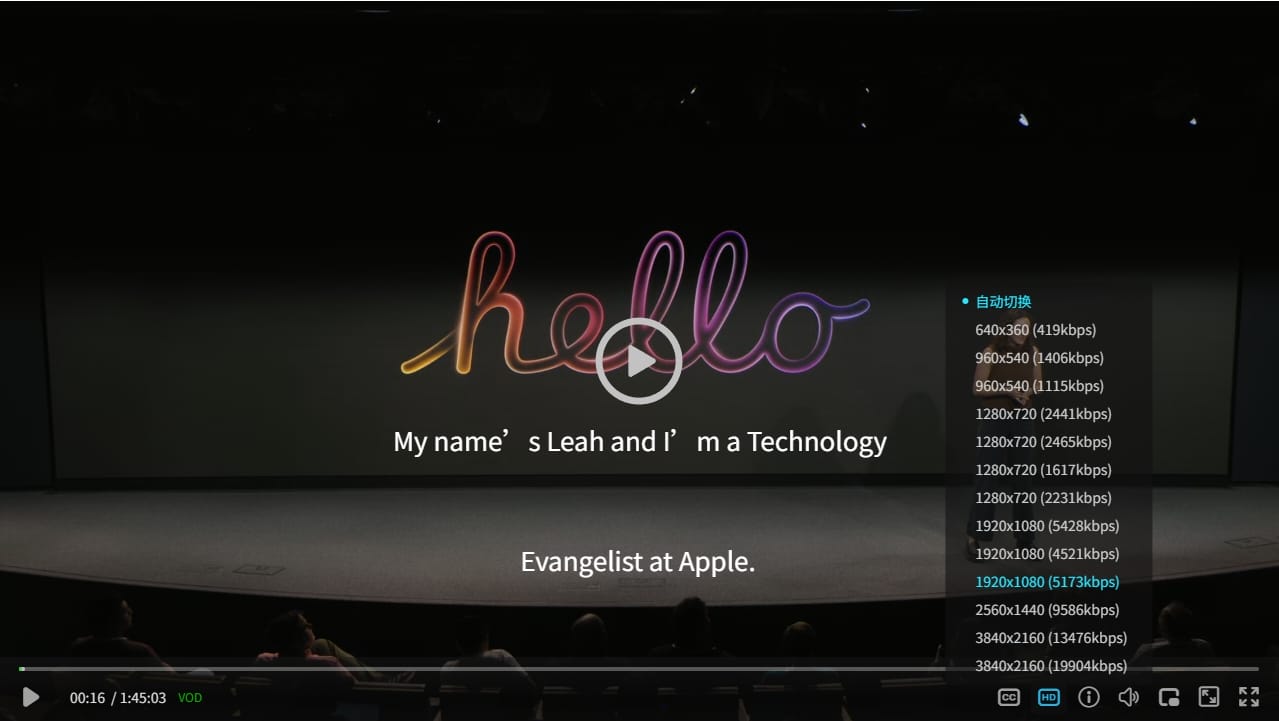
#EXT-X-STREAM-INF:RESOLUTION=1280x720,CODECS="avc1.64001f,mp4a.40.2",BANDWIDTH=2441393,AVERAGE-BANDWIDTH=612930,FRAME-RATE=29.970,AUDIO="program_audio_0",SUBTITLES="subs"
cmaf/avc/720p_3000/avc_720p_3000.m3u8
......
#EXT-X-STREAM-INF:RESOLUTION=1280x720,CODECS="hvc1.2.4.H150.B0,mp4a.40.2",BANDWIDTH=2231985,AVERAGE-BANDWIDTH=470650,FRAME-RATE=29.970,AUDIO="program_audio_0",SUBTITLES="subs"
cmaf/hvc/720p_3400/hvc_720p_3400.m3u8
......

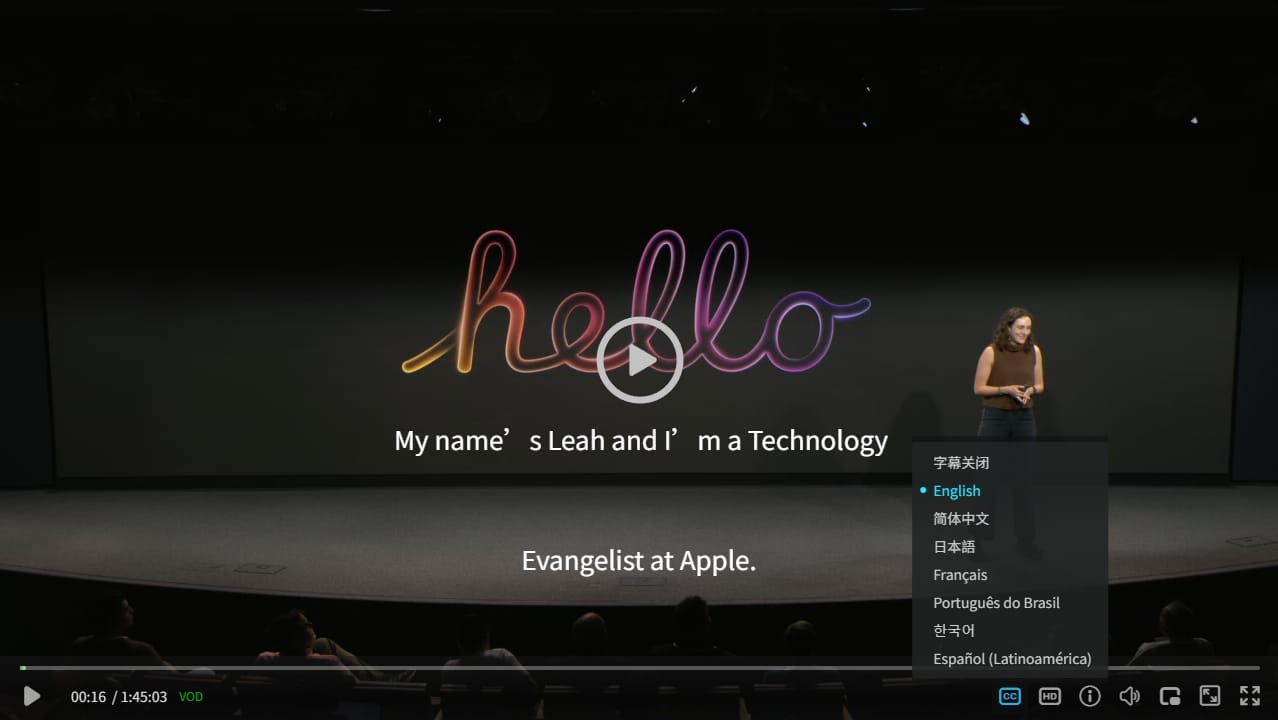
#EXT-X-MEDIA:TYPE=SUBTITLES,GROUP-ID="subs",LANGUAGE="en",NAME="English",AUTOSELECT=YES,DEFAULT=YES,URI="subtitles/eng/prog_index.m3u8",FORCED=NO
#EXT-X-MEDIA:TYPE=SUBTITLES,GROUP-ID="subs",LANGUAGE="zh",NAME="简体中文",AUTOSELECT=YES,DEFAULT=NO,URI="subtitles/zho/prog_index.m3u8",FORCED=NO
#EXT-X-MEDIA:TYPE=SUBTITLES,GROUP-ID="subs",LANGUAGE="ja",NAME="日本語",AUTOSELECT=YES,DEFAULT=NO,URI="subtitles/jpn/prog_index.m3u8",FORCED=NO
#EXT-X-MEDIA:TYPE=SUBTITLES,GROUP-ID="subs",LANGUAGE="fr",NAME="Français",AUTOSELECT=YES,DEFAULT=NO,URI="subtitles/fra/prog_index.m3u8",FORCED=NO
It can be seen that it includes multiple bitrates for H264 and H265, as well as multiple subtitles in English, Chinese, etc.
The zwplayer JS web player has good support for multi-stream and multi-subtitle m3u8 files. Through zwplayer, you get an intuitive experience; the interface is as follows:
- Embedded Multiple Subtitles
- Embedded Multiple Bitrates
H264 Stream Playlist Analysis
Get the H264 stream avc_720p_3000.m3u8
wget https://devstreaming-cdn.apple.com/videos/meet-with-apple/2025/201/5/597cbd02-a20e-4124-9596-a8acc21e96af/cmaf/avc/720p_3000/avc_720p_3000.m3u8CMAF Core Features Revealed: In the H264 playlist avc_720p_3000.m3u8, we see a typical implementation of CMAF:
#EXTM3U
#EXT-X-VERSION:6
#EXT-X-TARGETDURATION:7
#EXT-X-MAP:URI="avc_720p_3000init.cmfv"  <!-- CMAF Initialization Segment -->
#EXTINF:6.006,
avc_720p_3000_000000001.cmfv  <!-- CMAF Media Segment -->
#EXTINF:6.006,
avc_720p_3000_000000002.cmfv
...-
#EXT-X-MAP: This tag explicitly points to the CMAF initialization segment (avc_720p_3000init.cmfv), which is a key标志 distinguishing the CMAF workflow from traditional HLS+TS. The initialization segment is usually a separate, tiny file containing themoovatom from the ISO Base Media File Format (i.e., MP4 container format).Get
avc_720p_3000init.cmfvwget https://devstreaming-cdn.apple.com/videos/meet-with-apple/2025/201/5/597cbd02-a20e-4124-9596-a8acc21e96af/cmaf/avc/720p_3000/avc_720p_3000init.cmfvYou can use tools like
ffprobeto view its detailed information. The command is as follows:ffprobe -v error -show_format -show_streams avc_720p_3000init.cmfvThe display content is:
[STREAM] index=0 codec_name=h264 codec_long_name=H.264 / AVC / MPEG-4 AVC / MPEG-4 part 10 ... [FORMAT] filename=avc_720p_3000init.cmfv format_name=mov,mp4,m4a,3gp,3g2,mj2 format_long_name=QuickTime / MOV ... [/FORMAT]- Key Information
- Check
codec_name, it is h264 format - Check the
format_namefield in the output,- If it is
mp4ormov,mp4,m4a,3gp,3g2,mj2, it is fMP4. - If it is
mpegts, it is TS packaging.
- If it is
- Check
- Key Information
-
Media Segment: The file
avc_720p_3000_000000001.cmfv, etc., is a CMAF format video media segment. The file extension.cmfvclearly identifies its identity as a CMAF video stream.
H265 Stream Playlist Analysis
Get the H265 stream avc_720p_3000.m3u8
wget https://devstreaming-cdn.apple.com/videos/meet-with-apple/2025/201/5/597cbd02-a20e-4124-9596-a8acc21e96af/cmaf/hvc/720p_3400/hvc_720p_3400.m3u8The content is as follows: The format is the same as H264
#EXTM3U
#EXT-X-VERSION:6
#EXT-X-TARGETDURATION:7
#EXT-X-MEDIA-SEQUENCE:1
#EXT-X-PLAYLIST-TYPE:VOD
#EXT-X-MAP:URI="hvc_720p_3400init.cmfv" <!-- CMAF Initialization Segment -->
#EXTINF:6.006,
hvc_720p_3400_000000001.cmfv  <!-- CMAF Media Segment -->
#EXTINF:6.006,
hvc_720p_3400_000000002.cmfv
.....-
Download the CMAF initialization segment (
hvc_720p_3400init.cmfv).wget https://devstreaming-cdn.apple.com/videos/meet-with-apple/2025/201/5/597cbd02-a20e-4124-9596-a8acc21e96af/cmaf/hvc/720p_3400/hvc_720p_3400init.cmfvUse tools like
ffprobeto view its detailed information. The command is as follows:ffprobe -v error -show_format -show_streams hvc_720p_3400init.cmfvThe display content is:
[STREAM] index=0 codec_name=hevc codec_long_name=H.265 / HEVC (High Efficiency Video Coding) profile=Main 10 ... [FORMAT] filename=hvc_720p_3400init.cmfv format_name=mov,mp4,m4a,3gp,3g2,mj2 format_long_name=QuickTime / MOV [/FORMAT]- Key Information
- Check
codec_name, it is hevc format, i.e., H.265 format - Check the
format_namefield in the output,- If it is
mp4ormov,mp4,m4a,3gp,3g2,mj2, it is fMP4. - If it is
mpegts, it is TS packaging.
- If it is
- Check
- Key Information
-
Media Segment: The file
avc_720p_3000_000000001.cmfv, etc., is a CMAF format video media segment. The file extension.cmfvclearly identifies its identity as a CMAF video stream.
6. Developer Practice Guide and Precautions
-
Encoding Best Practices
- H.264/AVC or H.265/HEVC are recommended for video encoding.
- Crucial: GOPs must be aligned across all bitrate versions to ensure the starting point of every media segment is an IDR frame, enabling seamless bitrate switching.
-
Compatibility Considerations
- Modern Devices: iOS, Android devices from 2017 onwards, and modern browsers all support it well.
- Legacy Devices: For extremely old devices (pre-iOS 9), it may still be necessary to keep the TS format as a fallback, but this portion of traffic is now negligible.
7. Conclusion: Embrace CMAF to Build Next-Generation Streaming Services
CMAF has become an indispensable standard in the modern streaming technology stack. For developers, adopting CMAF means building a more efficient, more economical, and future-oriented streaming architecture. It is not the best solution to current multi-protocol delivery challenges but also lays a solid foundation for welcoming next-generation immersive media experiences like 8K and VR.
8. Developer Resource Library
To facilitate your application of HLS in actual projects, we have compiled a resource list from official documentation to practical tools.
Official Documentation
- Apple HLS Official Specification: The most authoritative first-hand information, including the latest protocol features, best practices, and authoring tools.
- IETF RFC 8216 Standard Document: The official international standard for HLS, suitable for developers who need to understand protocol details in depth.
Development Tools
- FFmpeg: The “Swiss Army Knife” for audio/video processing, supporting full-process operations for HLS transcoding, slicing, and encryption.
- Shaka Packager: A powerful packaging tool produced by Google, focusing on packaging encoded media files into CMAF/fMP4 segments required for DASH and HLS.